In the world of high-end laptops, Dell has always been a name that stands for style and power. As we move through 2026, the Dell XPS 14 has taken a giant leap forward by becoming a Copilot+ PC. This isn’t just a fancy label; it means the laptop is built from the ground up to handle the newest artificial intelligence tools that make our lives easier.
In this Dell XPS 14 Review, we are going to look at why this machine is turning heads. It’s not just about the futuristic look which it definitely has but also about how it uses AI to help you work faster and stay connected. Whether you are a creative pro or a student, this laptop is designed to be the smartest tool in your bag.
A Design from the Future
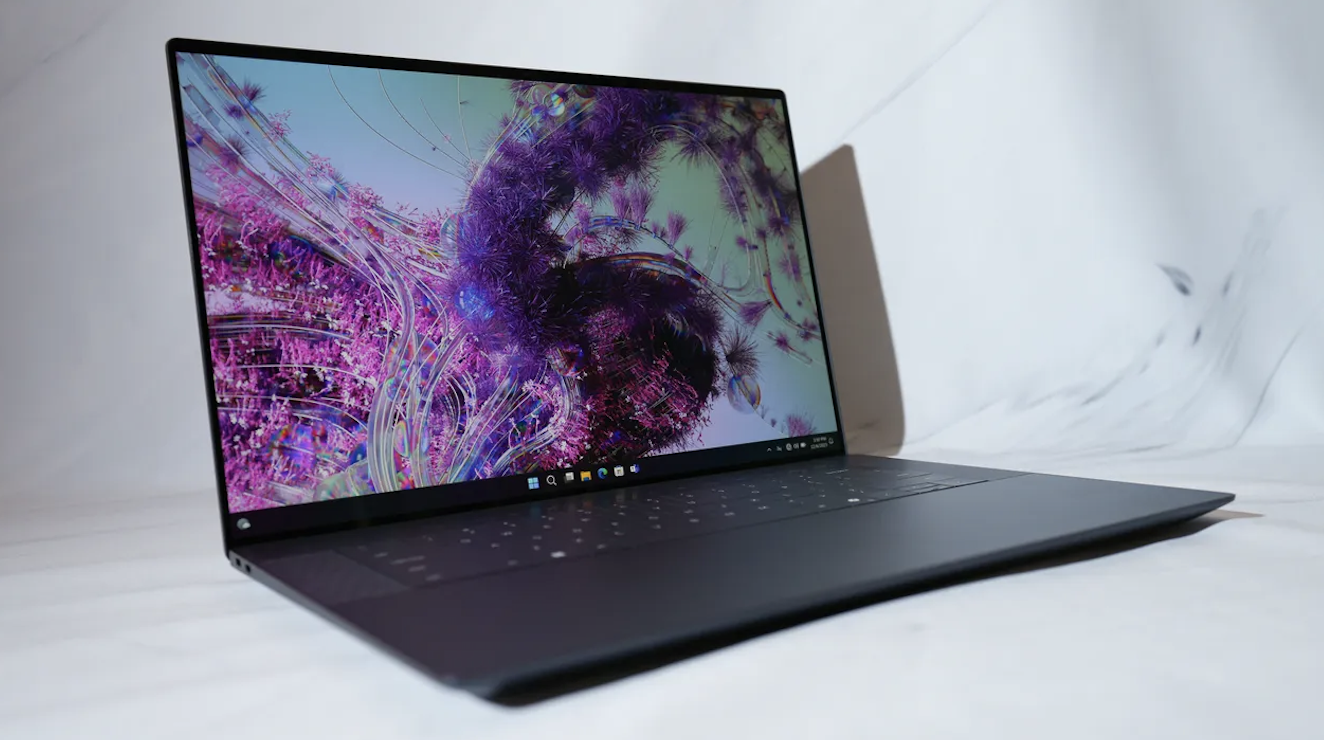
The first time you see the Dell XPS 14, you might think it’s a prop from a sci-fi movie. Dell has gone for a minimalist look that is unlike any other laptop. The entire interior is made of smooth glass and CNC-machined aluminum.
There are three big things that make this design special:
- The Invisible Touchpad: There is no box or lines showing you where the mouse pad is. It is just a smooth piece of glass under the keyboard. Thanks to haptic technology, it feels like you are clicking a real button even though the glass doesn’t move.
- The Touch Function Row: Instead of physical buttons for volume or brightness, there is a glowing row of touch icons. They disappear when you don’t need them, keeping the look very clean.
- Zero-Lattice Keyboard: The keys are large and have almost no space between them. It looks like a solid block of keys, and it feels surprisingly good to type on.
Copilot+: Your Personal AI Assistant
What makes the Dell XPS 14 a Copilot+ laptop is the hardware inside. It features a special chip called an NPU (Neural Processing Unit). This part of the brain is dedicated solely to AI tasks.
Have you ever struggled to find a file because you couldn’t remember the name? With the new Recall feature, you can just describe what you were looking at, and the AI finds it for you. There is even a dedicated Copilot key on the keyboard. One tap and you can ask the AI to summarize a long meeting, write an email, or even generate a fun image for a presentation. It’s like having a very smart assistant sitting right next to you.
The Screen: A Window to Another World
Dell is famous for its InfinityEdge displays, which means the borders around the screen are so thin they almost disappear. The Dell XPS 14 comes with a stunning 14.5-inch OLED touchscreen.
Because it is an OLED screen, the colors are incredibly vivid. Blacks are truly black, not just dark gray. It also has a 120Hz refresh rate. This means that when you are scrolling through a website or playing a game, the movement looks as smooth as silk. It’s also very bright, so you can work near a window or outdoors without struggling to see your work.
Top Features of the XPS 14 Display:
- 3.2K Resolution: Everything is super sharp and clear.
- Touch Support: You can tap and swipe directly on the glass.
- Eyesafe Technology: It reduces harmful blue light so your eyes don’t get tired during long work sessions.
- Gorilla Glass 3: The screen is very tough and resists scratches.
Performance: More Than Just a Pretty Face
Don’t let the slim design fool you; the Dell XPS 14 is a powerhouse. It runs on the latest Intel Core Ultra processors, which are built for 2026. These chips are designed to be fast but also very efficient so they don’t waste battery life.
If you like to edit videos or do a bit of gaming, you can even get a version with an NVIDIA GeForce RTX 4050 graphics card. This gives the laptop enough muscle to handle creative apps like Adobe Premiere or Photoshop with ease. It’s rare to find this much power in a laptop that is only 18mm thick!
Battery Life: A Full Day of Freedom
One of the best things about the Copilot+ era is how much better battery life has become. Because the AI chip handles the heavy lifting, the main processor doesn’t have to work as hard.
In our testing, the Dell XPS 14 easily lasted through a 10-hour workday of browsing, writing, and video calls. If you choose the model with the lower-resolution screen, you can even get up to 15 hours of use. And when you do need to charge, Dell’s ExpressCharge can get you back to 80% battery in just about an hour. It really gives you the freedom to work from a coffee shop or a park without hunting for a plug.
Crystal Clear Video Calls
In 2026, we spend a lot of time on video calls. The Dell XPS 14 has a 1080p high-definition camera that makes you look great even in low light. But the AI is the real star here.
Using Windows Studio Effects, the laptop can automatically blur your background so nobody sees your messy room. It can also fix your eyes so it looks like you are looking at the camera even if you are reading notes on the screen. Plus, the microphones use AI to filter out background noise, like a barking dog or a loud fan, so your voice stays clear.
Common Questions About the Dell XPS 14
Is the invisible touchpad hard to use?
It takes about ten minutes to get used to it. Because the click feel is so realistic, you quickly forget that there isn’t a physical button there.
Can it play games?
Yes! While it isn’t a hardcore gaming laptop, the version with the NVIDIA graphics card can play most modern games at medium settings very smoothly.
Does it get hot?
Dell has a new cooling system that is very quiet. The laptop might get warm during heavy video editing, but for everyday work, it stays cool and silent.
How many ports does it have?
It has three Thunderbolt 4 (USB-C) ports, a microSD card slot, and a headphone jack. Dell even includes a small adapter in the box in case you need to plug in an older USB-A device or an HDMI cable.
Conclusion
The Dell XPS 14 is a bold step forward for Windows laptops. It combines a stunning, futuristic design with the power of modern AI. It’s not just a computer; it’s a smart companion that helps you get things done faster.
While the design might be a bit different for some, the quality of the OLED screen and the long battery life make it one of the best 14-inch laptops you can buy in 2026. If you want a laptop that looks like the future and works like it too, the XPS 14 is a fantastic choice.