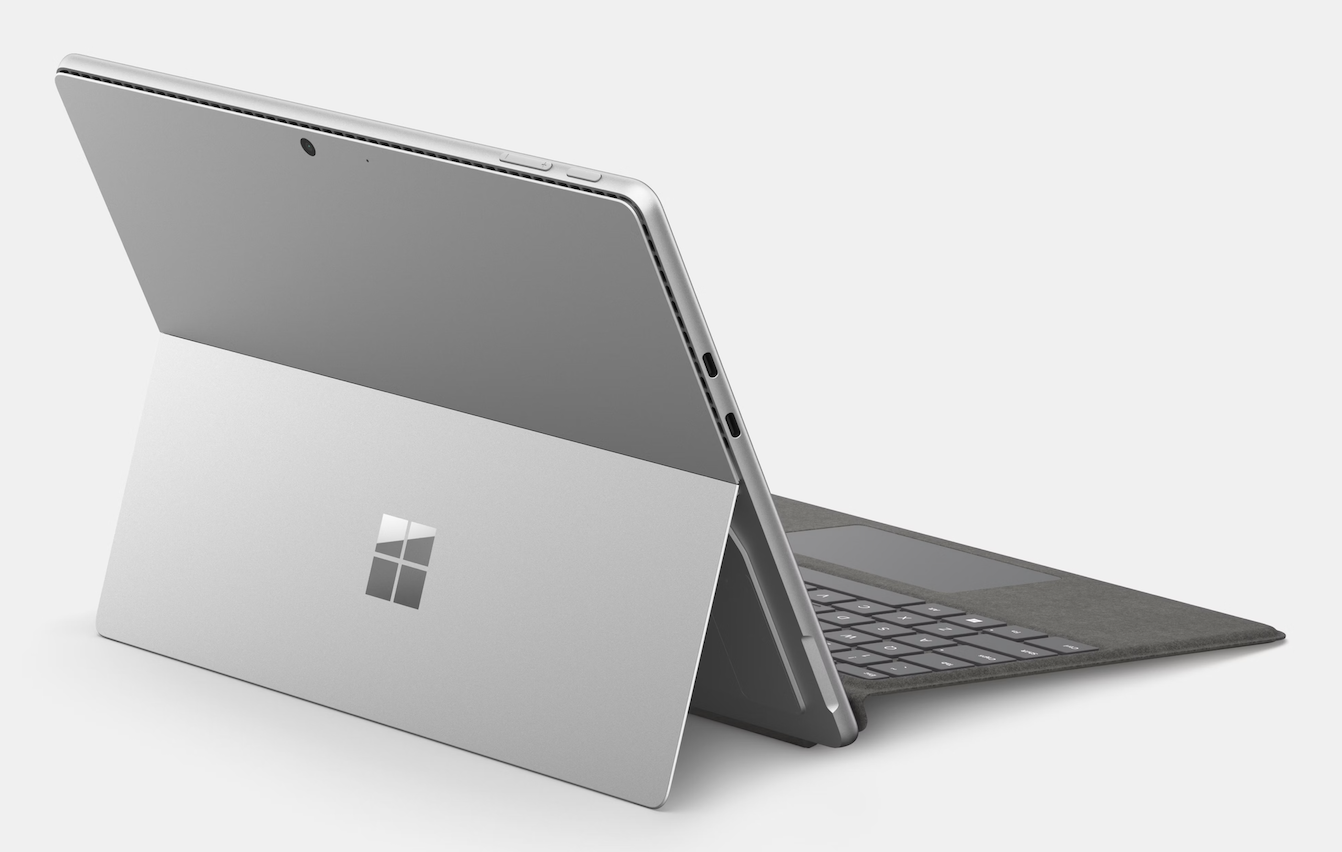
In the ever-changing world of tech, 2026 has brought us something truly groundbreaking. For years, people have debated whether a tablet could truly replace a laptop. With the release of the Microsoft Surface Pro Copilot+, that answer is finally a loud yes. This isn’t just a tablet that runs Windows; it is a super-smart AI partner that changes how we work and create.
In this Surface Pro Review, we will dive into what makes the Copilot+ edition so different from every Surface that came before it. From the incredible speed of the Snapdragon X Elite chip to the new AI features that help you finish your work faster, there is a lot to get excited about.
The Power of the Snapdragon X Elite Chip
For a long time, tablets that used mobile chips were a bit slow when running real computer programs. That has completely changed in 2026. The Surface Pro Copilot+ uses the Snapdragon X Elite or X Plus processors. These chips are built with ARM architecture, which is the same secret sauce that makes modern MacBooks and iPads so fast and efficient.
This new brain allows the Surface Pro to run full versions of professional software like Adobe Photoshop, Microsoft Excel, and even video editing tools without breaking a sweat. It is roughly 90% faster than the Surface Pro 9 from a few years ago. Everything feels snappy from the moment you turn it on with your face (Windows Hello) to the second you close your last app for the day.
A Display That Dazzles: The Move to OLED
For the first time in the history of the Surface line, Microsoft has introduced an OLED PixelSense Flow display. If you have a high-end smartphone, you know how good OLED looks. The colors are vibrant, and because the black parts of the screen are actually turned off, the contrast is infinite.
- 13-inch Screen: It is the perfect size for multitasking while staying portable.
- 120Hz Refresh Rate: Scrolling through long documents or websites feels incredibly smooth.
- HDR Support: Movies and photos look life-like with deep shadows and bright highlights.
- Anti-Reflective Coating: A new feature for 2026 is a screen that reduces glare by 50%, making it much easier to work near a window or outdoors.
Copilot+: Your Personal AI Assistant
The Copilot+ in the name isn’t just for show. This tablet features a dedicated Neural Processing Unit (NPU) capable of 45 trillion operations per second. This allows for AI features that happen right on the device, rather than in the cloud. This makes them faster and more private.
Key AI Features You’ll Actually Use:
- Live Captions: This can translate any audio or video playing on your screen from over 40 languages into English subtitles in real-time.
- Cocreator in Paint: You can draw a simple doodle with the Slim Pen, and the AI will turn it into a professional-looking artwork based on your description.
- Windows Studio Effects: During video calls, the AI can blur your background, keep you in the center of the frame, and even make it look like you are looking directly at the camera even if you are reading notes.
- Recall (Preview): This feature helps you find anything you’ve seen on your PC by simply describing it in plain English.
The Most Versatile Keyboard Yet
The Surface Pro has always been known for its kickstand and detachable keyboard, but the new Surface Pro Flex Keyboard takes things to a new level.
This keyboard can be used while it is attached to the tablet, or you can pull it away and use it wirelessly! This is a game-changer for people who like to keep their tablet at eye level on a stand while typing comfortably on their lap. It also features a Copilot Key that opens the AI assistant with a single tap, and a place to hide and charge your Surface Slim Pen.
Battery Life: Finally, All-Day Power
The biggest complaint about Windows tablets in the past was that the battery died too quickly. Thanks to the power-efficient Snapdragon chips, that problem is gone.
The Surface Pro Copilot+ can last up to 14 hours for web browsing and up to 16 hours for watching videos. In real-world use, this means you can leave your charger at home when you go to the office or a coffee shop. If you do run low, it supports Fast Charging, giving you a 50% charge in about 45 minutes with a 65W power brick.
Quick Specs Comparison
| Feature | Snapdragon X Plus Model | Snapdragon X Elite Model |
| Processor | 10-Core CPU | 12-Core CPU |
| Display | LCD PixelSense | OLED PixelSense (Best Color) |
| RAM | 16GB | 16GB or 32GB |
| Storage | 256GB / 512GB | Up to 1TB (Removable SSD) |
| Weight | 1.97 lbs | 1.97 lbs |
Frequently Asked Questions
Can the Surface Pro Copilot+ run all my old Windows apps?
Yes! While the chip is new, Windows 11 has a built-in emulator called Prism. It allows older apps designed for Intel or AMD computers to run smoothly on this new ARM-based system. Most users won’t even notice a difference.
Is the Slim Pen included in the box?
Usually, no. Microsoft sells the Surface Slim Pen and the Flex Keyboard separately. However, many stores offer bundles where you can get them all together for a slightly better price.
Can I play games on the Surface Pro?
It is great for casual games and even some bigger titles like Minecraft or League of Legends. However, because it doesn’t have a dedicated graphics card, it isn’t meant for heavy triple-A gaming at the highest settings.
Is the storage upgradable?
Yes! One of the best things about the Surface Pro is that the SSD (hard drive) is removable. If you run out of space later, you or a technician can swap it out for a bigger one.
Conclusion
The Microsoft Surface Pro Copilot+ is the Windows tablet we have been waiting for. It finally combines the pro power of a laptop with the anywhere portability of a tablet. With the addition of OLED and game-changing AI tools, it is a fantastic investment for anyone who needs to be productive on the move.
If you want a device that can be your notepad in the morning, your workstation in the afternoon, and your movie theater at night, the Surface Pro Review shows that this is the best choice in 2026. It truly bridges the gap between what a tablet is and what a computer should be.