
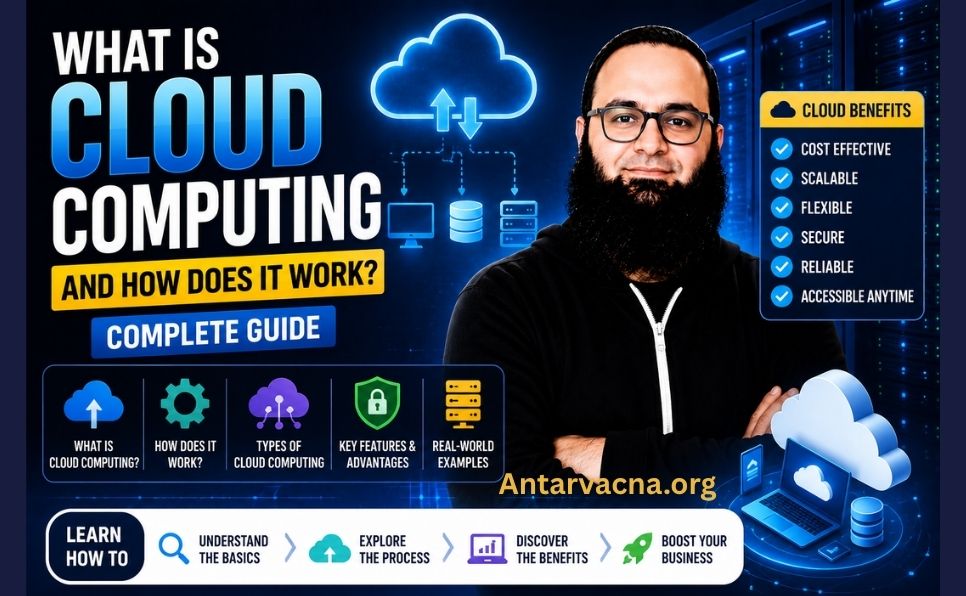
You use cloud computing every single day — probably without even realizing it.
When you check your Gmail, stream Netflix, store photos on Google Photos, or collaborate on a Google Doc — you’re using cloud computing. When a business runs its entire software infrastructure on Amazon Web Services — that’s cloud computing too.
But what exactly is cloud computing? How does it actually work behind the scenes? And why has it become the backbone of the modern internet?
In this complete beginner’s guide, you’ll learn:
- What cloud computing is in simple terms
- How cloud computing actually works
- The different types of cloud computing
- Real-world examples and applications
- The advantages and disadvantages
- The biggest cloud providers in 2026
- How cloud computing affects everyday users and businesses
Let’s get started. 👇
What Is Cloud Computing? (Simple Definition)
Cloud computing is the delivery of computing services — including servers, storage, databases, networking, software, analytics, and intelligence — over the internet (“the cloud”) instead of using local computers or physical servers.
In simple terms: instead of running software or storing data on your own computer or a physical server in your office, you access those resources remotely over the internet — from massive data centers operated by companies like Amazon, Google, and Microsoft.
The “Cloud” — What Does It Actually Mean?
The word “cloud” is simply a metaphor for the internet. In network diagrams, the internet was traditionally represented as a cloud shape — because the internal workings were complex and hidden from view.
So “cloud computing” literally means: computing that happens over the internet, in remote data centers, rather than on your local device.
Before Cloud Computing
To understand why cloud computing is revolutionary, think about what businesses had to do before it:
- Buy expensive physical servers
- Hire IT staff to maintain them
- Pay for physical space, electricity, and cooling
- Buy software licenses for every machine
- Wait weeks or months to scale up capacity
With cloud computing: Rent exactly what you need, pay only for what you use, scale up or down in minutes, and access everything from anywhere in the world.

How Does Cloud Computing Actually Work?
Understanding cloud computing becomes much clearer when you follow exactly what happens when you use a cloud-based service.
Step 1: You Make a Request
You open your browser or app and request something — open a document, stream a video, send an email, or run a software application.
Step 2: Your Request Travels Over the Internet
Your request is sent over the internet to a data center — a massive facility containing thousands of powerful servers, storage systems, and networking equipment. Major cloud providers operate data centers all over the world.
Step 3: The Data Center Processes Your Request
The cloud provider’s servers process your request — retrieving your document, streaming your video, running your application, or storing your data.
Step 4: The Result Is Sent Back to You
The response travels back over the internet to your device — almost instantaneously. You see your document, your video plays, your email sends.
What Makes This Possible?
Three key technologies power cloud computing:
| Technology | What It Does |
|---|---|
| Virtualization | Splits one physical server into many virtual servers, each running independently |
| Broadband Internet | Fast, reliable internet connections make remote access seamless |
| Distributed Computing | Tasks are spread across many servers for speed, reliability, and scale |
Virtualization — The Core Technology
Virtualization is the most important technology behind cloud computing. It allows one powerful physical server to be divided into dozens or hundreds of virtual machines (VMs) — each acting as a completely independent computer with its own operating system, storage, and processing power.
This means cloud providers can:
- Serve thousands of customers from the same physical hardware
- Allocate resources instantly based on demand
- Charge customers only for what they actually use
Types of Cloud Computing Services
Cloud computing comes in three main service models — often called the “cloud service stack”:
1. Infrastructure as a Service (IaaS)
What it is: The most basic level — provides raw computing infrastructure over the internet: virtual servers, storage, and networking.
Who manages what:
- Cloud provider manages: Physical hardware, networking, virtualization
- You manage: Operating system, middleware, applications, data
Best for: IT professionals, developers, businesses that want full control over their infrastructure
Real-world examples:
- Amazon Web Services (AWS) EC2 — virtual servers on demand
- Google Compute Engine — scalable virtual machines
- Microsoft Azure Virtual Machines
Analogy: Renting an empty warehouse — you bring your own furniture, equipment, and staff.
2. Platform as a Service (PaaS)
What it is: Provides a complete development and deployment environment in the cloud — including servers, storage, networking, middleware, and development tools.
Who manages what:
- Cloud provider manages: Infrastructure + operating system + middleware
- You manage: Applications and data only
Best for: Software developers who want to build, test, and deploy applications without managing infrastructure
Real-world examples:
- Google App Engine — build and deploy web applications
- Microsoft Azure App Service
- Heroku — popular PaaS for web developers
- AWS Elastic Beanstalk
Analogy: Renting a fully equipped commercial kitchen — the kitchen is set up, you just bring your recipes and ingredients.
3. Software as a Service (SaaS)
What it is: Delivers fully functional software applications over the internet. You simply open a browser (or app) and use the software — no installation, no maintenance, no updates to manage.
Who manages what:
- Cloud provider manages: Everything — infrastructure, platform, application, updates
- You manage: Your data and how you use the software
Best for: End users, businesses that want ready-to-use software without technical overhead
Real-world examples:
- Gmail / Google Workspace — email and productivity tools
- Microsoft 365 — Word, Excel, PowerPoint in the cloud
- Zoom — video conferencing
- Salesforce — CRM software
- Shopify — eCommerce platform
- Netflix — video streaming
- Dropbox — file storage and sharing
Analogy: Eating at a restaurant — everything is prepared and served. You just enjoy the meal.
Quick Comparison:
| Service Model | You Manage | Provider Manages | Best For |
|---|---|---|---|
| IaaS | OS, apps, data | Hardware, network | IT teams, developers |
| PaaS | Apps, data | Everything else | Developers |
| SaaS | Data only | Everything | End users, businesses |
Types of Cloud Deployment Models
Beyond service models, clouds also differ in who can access them:
1. Public Cloud
Open to anyone — computing resources are owned and operated by a third-party cloud provider and shared among multiple customers over the internet.
Examples: AWS, Google Cloud Platform, Microsoft Azure
Best for: Startups, small businesses, individuals, applications with variable demand
Advantages: Low cost, no maintenance, instant scalability, pay-as-you-go Disadvantages: Less control, shared infrastructure, potential security concerns for sensitive data
2. Private Cloud
Exclusive to one organization — computing resources are used only by one business. Can be hosted on-premises (in the company’s own data center) or by a third-party provider.
Examples: VMware Private Cloud, IBM Cloud Private
Best for: Large enterprises, government agencies, healthcare, financial institutions with strict security and compliance requirements
Advantages: Maximum security, full control, customizable Disadvantages: High cost, requires IT staff to maintain
3. Hybrid Cloud
Combines public and private clouds — allowing data and applications to move between them based on needs. Sensitive data stays in the private cloud; less sensitive workloads use the public cloud.
Examples: Most large enterprises use hybrid cloud architectures
Best for: Businesses that need both security for sensitive data AND scalability for variable workloads
Advantages: Flexibility, optimized cost, security where needed Disadvantages: Complex to manage, requires integration expertise
4. Multi-Cloud
Uses multiple public cloud providers simultaneously — for example, using AWS for some workloads and Google Cloud for others.
Best for: Large organizations wanting to avoid vendor lock-in or optimize for specific cloud providers’ strengths
Real-World Examples of Cloud Computing
Cloud computing is everywhere. Here are the most common examples you encounter daily:
Personal Use:
| Service | Cloud Type | What It Does |
|---|---|---|
| Gmail | SaaS | Email stored and processed in Google’s cloud |
| Google Photos | SaaS | Photos stored in Google’s data centers |
| iCloud | SaaS | Apple’s cloud for iPhone backups, photos, documents |
| Netflix | SaaS | Videos streamed from cloud servers worldwide |
| Spotify | SaaS | Music streamed from cloud infrastructure |
| SaaS | Messages processed and stored in cloud | |
| Dropbox | SaaS | File storage and sharing in cloud |
Business Use:
| Service | Cloud Type | What It Does |
|---|---|---|
| Salesforce | SaaS | Customer relationship management |
| Zoom | SaaS | Video conferencing over cloud |
| Shopify | SaaS | eCommerce platform in cloud |
| AWS | IaaS/PaaS | Powers millions of websites and apps |
| Google Analytics | SaaS | Website analytics processed in cloud |
| Slack | SaaS | Team communication in cloud |
Advantages of Cloud Computing
1. Cost Savings
No upfront hardware investment. Pay only for what you use — like a utility bill for electricity. Small businesses can access enterprise-grade infrastructure at a fraction of the cost.
2. Scalability
Need more capacity instantly? Scale up in minutes. Traffic dropped? Scale back down. Cloud computing eliminates the need to overprovision expensive hardware for peak demand.
3. Accessibility
Access your files, applications, and data from any device, anywhere in the world — as long as you have internet access.
4. Reliability and Uptime
Major cloud providers operate across multiple data centers worldwide. If one data center fails, others take over automatically. AWS, Google Cloud, and Azure all offer 99.99%+ uptime guarantees.
5. Automatic Updates
Software updates, security patches, and new features are handled automatically by the provider — no manual updates needed.
6. Security
Top cloud providers invest billions in security infrastructure — physical security, encryption, access controls, and compliance certifications that most businesses couldn’t afford on their own.
7. Disaster Recovery
Data is automatically backed up across multiple locations. If a natural disaster destroys one data center, your data and applications remain safe and accessible.
8. Collaboration
Multiple people can work on the same document, project, or application simultaneously — from different locations around the world. Google Docs and Microsoft 365 are perfect examples.
Disadvantages and Challenges of Cloud Computing
1. Internet Dependency
Cloud computing requires a reliable internet connection. No internet = no access to your cloud services or data. For areas with poor connectivity, this is a significant limitation.
2. Security and Privacy Concerns
Storing sensitive data with a third-party provider raises legitimate security concerns. While major providers have excellent security, data breaches do happen — and you’re trusting your data to an external party.
3. Vendor Lock-In
Migrating from one cloud provider to another can be complex, expensive, and time-consuming. Businesses sometimes find themselves locked into a provider’s ecosystem.
4. Ongoing Costs
While cloud computing eliminates upfront hardware costs, monthly fees add up. For some high-usage scenarios, owning your own infrastructure can be cheaper long-term.
5. Limited Control
With public cloud and SaaS, you have limited control over the underlying infrastructure. If the provider changes pricing, features, or terms — you have little recourse.
6. Downtime Risk
Even the best cloud providers experience outages. When AWS goes down, it can take thousands of websites and apps offline simultaneously.
The Biggest Cloud Providers in 2026
The cloud computing market is dominated by three major players:
1. Amazon Web Services (AWS)
Market share: ~31% (largest cloud provider) Key services: EC2 (virtual servers), S3 (storage), Lambda (serverless), RDS (databases) Best for: Enterprises, startups, developers — the most comprehensive service catalog Website: aws.amazon.com
2. Microsoft Azure
Market share: ~25% Key services: Azure Virtual Machines, Azure AI, Microsoft 365 integration Best for: Enterprises already using Microsoft products Website: azure.microsoft.com
3. Google Cloud Platform (GCP)
Market share: ~11% Key services: Google Compute Engine, BigQuery (data analytics), Google Kubernetes Engine Best for: Data analytics, machine learning, companies using Google Workspace Website: cloud.google.com
Other Notable Providers:
- IBM Cloud — enterprise focus, hybrid cloud
- Oracle Cloud — database workloads
- Cloudflare — CDN, security, edge computing
- DigitalOcean — developer-friendly, affordable IaaS
Cloud Computing vs. Traditional Computing
| Factor | Cloud Computing | Traditional Computing |
|---|---|---|
| Infrastructure | Rented from provider | Owned and managed |
| Upfront cost | Low (pay as you go) | High (hardware purchase) |
| Scalability | Instant, elastic | Limited, requires hardware |
| Maintenance | Provider handles it | IT team required |
| Access | Anywhere, any device | Local network only |
| Updates | Automatic | Manual |
| Reliability | 99.99%+ uptime | Depends on your hardware |
| Security | Provider + you | Entirely your responsibility |
Cloud Computing in 2026 — Key Trends
The cloud computing landscape continues to evolve rapidly:
- Edge Computing — Processing data closer to where it’s generated (IoT devices, smartphones) rather than sending everything to central data centers — reducing latency dramatically
- Serverless Computing — Developers write code without managing any servers — the cloud provider handles all infrastructure automatically (AWS Lambda, Google Cloud Functions)
- AI and Machine Learning as a Service — Cloud providers offer ready-to-use AI models and ML infrastructure — making advanced AI accessible to any business
- Sustainable Cloud — All major providers have committed to running on 100% renewable energy — Google Cloud already achieves this in several regions
- Multi-Cloud Adoption — 87% of enterprises now use multiple cloud providers simultaneously
- Cloud-Native Development — Applications built specifically to run in the cloud using containers (Docker) and orchestration (Kubernetes)
How Cloud Computing Relates to SEO and Web Hosting
If you run a website or blog, cloud computing directly affects your SEO performance:
- Website speed — Sites hosted on cloud infrastructure (AWS, Google Cloud, Cloudflare) load faster — improving Core Web Vitals scores
- Uptime — Cloud hosting offers better uptime than traditional shared hosting — fewer downtime penalties from Google
- CDN (Content Delivery Network) — A form of cloud computing that serves your content from servers closest to your visitors — dramatically improving load times globally
- Scalability — Cloud hosting handles traffic spikes without your site going down
📖 Learn how website speed directly affects your Google rankings: Page Speed Optimization: Complete Guide
📖 Make sure your website is technically optimized: Technical SEO Checklist
Getting Started With Cloud Computing
For Personal Use:
You’re probably already using cloud computing. To use it more intentionally:
- Google Drive — free 15GB cloud storage
- iCloud — 5GB free for Apple users
- OneDrive — 5GB free with Microsoft account
- Dropbox — 2GB free cloud storage
For Bloggers and Small Businesses:
- Cloudflare — free CDN and security for your website
- Google Workspace — cloud-based email and productivity ($6/month)
- Shopify — cloud-based eCommerce platform
For Developers:
- AWS Free Tier — 12 months free access to core AWS services at aws.amazon.com/free
- Google Cloud Free Tier — $300 in free credits at cloud.google.com/free
- Microsoft Azure Free — $200 in free credits at azure.microsoft.com/free
Complete Cloud Computing Checklist — What You’ve Learned
- Cloud computing = delivering computing services over the internet
- Three service models: IaaS, PaaS, SaaS
- Four deployment models: Public, Private, Hybrid, Multi-Cloud
- Powered by virtualization, broadband internet, and distributed computing
- Top providers: AWS (31%), Azure (25%), Google Cloud (11%)
- Key benefits: cost savings, scalability, accessibility, reliability
- Key challenges: internet dependency, security concerns, vendor lock-in
- 2026 trends: edge computing, serverless, AI as a service, sustainability
Conclusion — Cloud Computing Is the Foundation of the Modern Internet
Cloud computing is not a future technology — it’s the present reality that powers virtually everything we do online.
Whether you’re a curious beginner, a business owner, a blogger, or a developer — understanding cloud computing gives you a clearer picture of how the internet works and how to use it more effectively.
The shift from owning physical hardware to renting cloud resources has democratized access to enterprise-grade technology. A startup today can access the same computing infrastructure as a Fortune 500 company — for a fraction of the cost.
Cloud computing will only become more central to our digital lives in the years ahead. Understanding it now puts you ahead of the curve.
Frequently Asked Questions (FAQ)
Is cloud computing safe for storing personal data?
Major cloud providers like Google, Microsoft, and Amazon invest billions in security infrastructure — often making cloud storage safer than local storage. However, always use strong passwords, two-factor authentication, and understand the provider’s privacy policy before storing sensitive personal data.
Do I need technical knowledge to use cloud computing?
For everyday SaaS applications (Gmail, Google Drive, Netflix), no technical knowledge is needed at all. For IaaS and PaaS services aimed at developers and IT professionals, technical knowledge is required.
Is cloud computing expensive?
For personal use, most basic cloud services are free (Google Drive, iCloud, OneDrive). For businesses, costs vary widely — from a few dollars per month for basic hosting to millions per year for enterprise cloud infrastructure. The pay-as-you-go model generally makes cloud computing more affordable than owning physical infrastructure.
What happens to my data if a cloud provider shuts down?
Major providers like AWS, Google, and Microsoft are extremely unlikely to shut down. However, reputable providers give advance notice and time to export your data. Always maintain backups of critical data in multiple locations — never rely on a single cloud provider as your only backup.
Is cloud computing the same as the internet?
No — the internet is the global network of connected computers. Cloud computing uses the internet to deliver computing services (storage, software, servers) from remote data centers. The internet is the highway; cloud computing is one of the services that travels on it.
How is cloud computing different from web hosting?
Web hosting is a specific type of cloud computing — it’s the service of storing website files on a server and making them accessible over the internet. Cloud computing is the broader category that includes web hosting plus hundreds of other services: databases, AI, analytics, development tools, and more.
Found this guide helpful? Share it with someone curious about cloud computing. Have a question? Drop it in the comments — we answer every one!