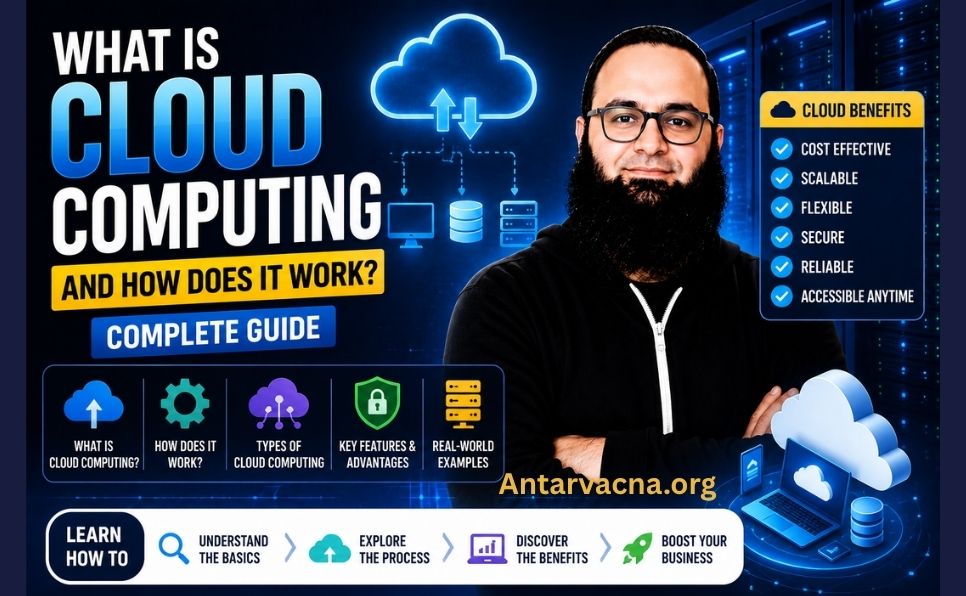
What Is Cloud Computing and How Does It Work? Complete Guide (2026)
Cloud computing powers many of the digital services we use every day. When you open Gmail, collaborate in Google Docs, back up photos to iCloud, or deploy an application on Amazon Web Services (AWS), you are using cloud-based technology.
But what is cloud computing, how does it work, and why do businesses increasingly rely on it?
Cloud computing is a way to access computing resources—including servers, storage, databases, networking, and software—on demand without owning or managing all the underlying physical infrastructure.
In this beginner-friendly guide, you’ll learn how cloud computing works, understand IaaS, PaaS, and SaaS, compare public and private clouds, explore real-world examples, and discover the benefits, risks, costs, and major trends shaping cloud computing in 2026.
1. What Is Cloud Computing?
Cloud computing is the on-demand delivery of computing services through a network, usually the internet.
Instead of purchasing and maintaining every physical server, an organization can obtain computing resources from a cloud provider.
For example, a business can rent virtual servers from AWS, store files in Microsoft Azure, or analyze data using Google Cloud.
The US National Institute of Standards and Technology (NIST) describes cloud computing through five essential characteristics:
- On-demand self-service
- Broad network access
- Resource pooling
- Rapid elasticity
- Measured service
These characteristics distinguish cloud computing from simply accessing an ordinary remote computer.
For a technical definition, see the NIST Definition of Cloud Computing.
What does “the cloud” mean?
The cloud is not a single physical location.
It refers to computing infrastructure and services accessed remotely through a network.
Behind cloud services are physical data centers containing servers, storage devices, networking equipment, and supporting infrastructure.
Cloud computing vs. traditional computing
Traditionally, businesses often purchased servers, installed software, maintained hardware, and planned capacity in advance.
Cloud computing allows them to provision resources when needed and adjust capacity more flexibly.
However, cloud computing does not eliminate all IT responsibilities. Customers still need to manage their applications, data, access controls, and costs according to the services they use.
2. How Does Cloud Computing Work?
Cloud computing connects users and applications to computing resources hosted in data centers.
Here is a simplified example of what happens when you open a document stored in a cloud service.
Step 1: You send a request
You open an application or website and request a file.
Step 2: The request travels through a network
Your device communicates with the service through an internet connection.
Step 3: The cloud service authenticates and processes the request
The provider’s systems verify permissions and locate the required data or computing resources.
Step 4: Servers process the operation
The service retrieves the document, processes instructions, and prepares the response.
Step 5: The result reaches your device
The application displays the requested information.
Actual cloud architectures may involve multiple services, networks, caches, and data centers rather than a single server.
Technologies behind cloud computing
Virtualization: Allows multiple virtual computing environments to share physical hardware.
Containers: Package applications and their dependencies for consistent deployment.
Distributed computing: Uses multiple systems to process workloads or provide services.
Software-defined infrastructure: Allows computing resources to be managed programmatically.
Automation: Helps provision, monitor, and scale services.
Virtual machines are important, but not every cloud service uses the same virtualization architecture.
3. Types of Cloud Computing Services
Cloud services are commonly grouped into three models: Infrastructure as a Service, Platform as a Service, and Software as a Service.
Infrastructure as a Service (IaaS)
IaaS provides computing infrastructure such as virtual machines, networking, and storage.
Customers typically manage operating systems, applications, and much of the configuration.
Examples:
Best for: Organizations that need flexible infrastructure and substantial control over their computing environments.
Platform as a Service (PaaS)
PaaS provides a managed environment for building, deploying, and running applications.
Developers focus more on application code and less on operating-system maintenance.
Examples:
- Google App Engine
- Azure App Service
- Heroku
- AWS Elastic Beanstalk
Best for: Development teams that want to deploy applications without managing every infrastructure component.
Software as a Service (SaaS)
SaaS delivers ready-to-use applications through a browser or other client software.
The provider manages much of the underlying application infrastructure.
Examples:
- Gmail
- Google Workspace
- Microsoft 365
- Salesforce
- Shopify
- Dropbox
Best for: Individuals and organizations that want to use software without maintaining its underlying servers.
IaaS vs. PaaS vs. SaaS
| Feature | IaaS | PaaS | SaaS |
|---|---|---|---|
| Main offering | Infrastructure | Application platform | Ready-to-use software |
| Customer control | High | Moderate | Limited |
| Server management | Mostly provider | Provider | Provider |
| Application management | Customer | Customer | Mostly provider |
| Typical users | IT teams | Developers | End users |
| Example | Amazon EC2 | Google App Engine | Google Workspace |
The exact division of responsibilities varies by provider and service.
4. Types of Cloud Deployment Models
Cloud deployment models describe how computing environments are organized and accessed.
Public cloud
Public cloud services are operated by providers that make computing resources available to multiple customers.
Examples include AWS, Microsoft Azure, and Google Cloud.
Public clouds can offer flexible capacity and reduced upfront infrastructure costs.
Private cloud
A private cloud is dedicated to a single organization.
It may operate in an organization’s own data center or through a third-party hosting provider.
Private clouds can provide greater customization and control, but require appropriate management and investment.
Hybrid cloud
A hybrid cloud combines distinct cloud environments that support coordinated operations.
For example, a business might keep certain systems in a private environment while using public cloud resources for analytics or additional computing capacity.
Community cloud
A community cloud supports organizations with shared requirements, such as specific compliance or operational needs.
This model is included in NIST’s traditional cloud deployment classification.
Multi-cloud
Multi-cloud means using services from more than one cloud provider.
For example, a company might use AWS for application hosting and Google Cloud for data analytics.
Multi-cloud is an architectural approach rather than one of NIST’s original four deployment models.
5. Real-World Examples of Cloud Computing
Cloud computing supports personal productivity, entertainment, business operations, and software development.
Personal cloud computing examples
| Service | Common use |
|---|---|
| Gmail | Cloud-based email |
| Google Photos | Photo storage and organization |
| iCloud | Apple device backups and synchronization |
| Netflix | Online video streaming |
| Spotify | Music streaming |
| Dropbox | File storage and sharing |
| Google Docs | Online document collaboration |
For example, iCloud can synchronize supported files and settings across Apple devices.
Related reading: iPhone 18 Pro Complete Guide.
Business cloud computing examples
Salesforce: Customer relationship management.
Shopify: Online store infrastructure and management.
Google Analytics: Website analytics and reporting.
Slack: Team communication.
AWS: Infrastructure and managed cloud services.
Microsoft Azure: Computing, storage, databases, and enterprise services.
Google Cloud: Cloud infrastructure, analytics, and AI services.
These products demonstrate that cloud computing includes far more than online file storage.
6. Advantages of Cloud Computing
1. Lower upfront infrastructure costs
Businesses can often begin using computing resources without purchasing their own servers.
However, long-term costs depend on usage, pricing, and architecture.
2. Scalability
Cloud infrastructure can help organizations increase or decrease computing capacity as demand changes.
Scaling may be automatic or require configuration, depending on the service.
3. Accessibility
Authorized users can access supported cloud applications from different locations and devices.
4. Collaboration
Cloud-based productivity tools allow multiple users to work on shared files and projects.
5. Faster deployment
Developers can provision infrastructure without waiting for physical hardware procurement.
6. Managed services
Cloud providers offer services that reduce some operational responsibilities.
7. Reliability options
Providers offer multiple availability zones, regions, and redundancy features.
However, high availability requires appropriate architecture. It is not automatically guaranteed for every workload.
8. Disaster recovery capabilities
Cloud platforms offer backup, replication, and recovery tools.
Customers must configure and test these systems according to their recovery requirements.
7. Disadvantages and Challenges of Cloud Computing
Internet dependency
Many cloud services require connectivity, although some applications offer offline functionality.
Ongoing costs
Usage-based billing can become expensive if resources are poorly managed.
Vendor lock-in
Applications built around provider-specific services can be difficult to migrate.
Security risks
Misconfigured permissions, exposed credentials, insecure applications, and other vulnerabilities can cause security incidents.
Compliance requirements
Organizations may need to consider data residency, privacy laws, retention policies, and industry regulations.
Limited infrastructure control
Customers generally cannot directly control all underlying hardware and networking systems.
Service outages
Cloud providers can experience disruptions. Resilience planning remains important.
Cloud security is a shared responsibility between providers and customers.
The exact responsibilities depend on the service model.
For example, with an IaaS virtual machine, the provider manages physical infrastructure, while the customer may be responsible for the guest operating system, application security, access configuration, and data.
With SaaS, the provider manages more of the application stack, but users still need to manage accounts, permissions, and sensitive information.
Cloud security best practices
- Enable multi-factor authentication.
- Apply least-privilege access.
- Protect API keys and credentials.
- Encrypt sensitive information where appropriate.
- Configure backups.
- Monitor unusual activity.
- Review access permissions.
- Keep customer-managed software updated.
- Test recovery procedures.
For more information, read the AWS Shared Responsibility Model.
Important: Moving data to the cloud does not automatically make it secure or backed up.
9. Major Cloud Providers in 2026
Three widely used hyperscale cloud platforms are AWS, Microsoft Azure, and Google Cloud.
Amazon Web Services (AWS)
AWS offers infrastructure, databases, networking, analytics, AI services, and serverless computing.
Popular services include:
- Amazon EC2
- Amazon S3
- AWS Lambda
- Amazon RDS
Official website: AWS
Microsoft Azure
Azure provides cloud infrastructure and services for enterprise applications, data platforms, identity, and AI.
Popular services include:
- Azure Virtual Machines
- Azure App Service
- Azure SQL Database
- Azure Functions
Official website: Microsoft Azure
Google Cloud
Google Cloud provides computing infrastructure, analytics, machine learning, and application services.
Popular services include:
- Compute Engine
- BigQuery
- Google Kubernetes Engine
- Cloud Run
Official website: Google Cloud
Other cloud providers
Other notable providers include:
- IBM Cloud
- Oracle Cloud Infrastructure
- DigitalOcean
- Cloudflare
Market-share percentages depend on the research provider, reporting period, and market definition. For that reason, specific percentages should be accompanied by a dated source rather than presented as permanent facts.
10. Cloud Computing vs. Traditional Computing
| Factor | Cloud computing | Traditional on-premises computing |
|---|---|---|
| Infrastructure | Often rented or consumed as a service | Typically owned or leased |
| Initial investment | Often lower | Can require significant hardware investment |
| Scalability | Flexible, subject to service limits | May require additional hardware |
| Maintenance | Shared with provider | Mostly organization-managed |
| Access | Network-based | Depends on configuration |
| Reliability | Depends on architecture | Depends on architecture |
| Security | Shared responsibilities | Organization controls more infrastructure |
| Billing | Subscription or usage-based | Hardware and operational expenses |
Neither approach is universally better.
The right choice depends on cost, security, performance, compliance, and operational requirements.
11. Cloud Computing Trends in 2026
AI and machine learning services
Cloud platforms offer managed AI models, development tools, and computing infrastructure for training and inference.
Serverless computing
Serverless services allow developers to run applications or functions without managing individual servers.
Examples include AWS Lambda, Azure Functions, and Google Cloud Run.
Serverless does not mean physical servers disappear. It means infrastructure management is abstracted from the developer.
Edge computing
Edge computing processes information closer to users or data sources.
It can reduce latency for suitable workloads.
Containers and Kubernetes
Containers package applications, while orchestration platforms such as Kubernetes help manage deployments and scaling.
Hybrid and multi-cloud architectures
Organizations may combine environments for operational, regulatory, or business reasons.
Sustainable cloud operations
Cloud providers continue investing in energy efficiency, renewable electricity, and carbon-reduction initiatives.
Actual environmental impact depends on energy sources, infrastructure utilization, location, and workload design.
FinOps and cost optimization
Organizations increasingly use cloud financial management practices to understand spending and reduce waste.
12. Cloud Computing, Website Hosting, and SEO
Cloud computing can support website hosting, content delivery, and performance optimization.
However, cloud hosting does not automatically make a website faster or improve its Google rankings.
Website performance depends on several factors:
- Server response times
- Caching
- Images
- JavaScript
- Content delivery
- Database performance
- Network latency
- Page design
Cloud hosting
Cloud infrastructure can support flexible resource allocation and scalable hosting environments.
Content Delivery Networks
CDNs distribute content across geographically dispersed servers to reduce delivery delays for suitable resources.
Website availability
Reliable infrastructure helps websites remain accessible to visitors and search engines.
However, resilience requires monitoring, appropriate redundancy, and recovery planning.
For practical improvements, read:
Page Speed Optimization: Complete Guide
Also explore:
These existing internal links connect cloud computing concepts with practical website management.
13. Cloud Computing Costs Explained
Cloud costs depend on the services used.
Common pricing components include:
- Computing time or capacity
- Data storage
- Network data transfer
- Database usage
- Managed services
- Support plans
- Licensing
Example: A small business website
A small business might use:
- A cloud server or managed hosting service.
- Object storage for media and backups.
- A CDN for static resources.
- A managed database.
- Monitoring and security tools.
Each component may have separate pricing.
How to control cloud spending
- Set budgets and alerts.
- Monitor resource utilization.
- Remove unused resources.
- Select appropriate instance sizes.
- Review data transfer charges.
- Compare pricing models.
- Understand free-tier conditions.
- Review billing reports regularly.
Cloud pricing changes over time, so always verify current rates on official provider websites.
14. How to Get Started With Cloud Computing
For personal users
Begin with an everyday cloud application such as Google Drive, iCloud, OneDrive, or Dropbox.
Learn how to upload files, organize folders, configure sharing permissions, and recover deleted items.
For bloggers and small businesses
Consider services such as:
- Cloudflare for CDN and security features.
- Google Workspace for business productivity.
- Shopify for e-commerce.
- Managed cloud hosting for websites.
Choose services according to actual business needs.
For developers
Explore official learning and free-tier resources:
Eligibility, credits, usage limits, and billing conditions vary.
Before deploying resources, configure spending alerts and understand when charges may begin.
A beginner-friendly practical exercise
One useful learning exercise is to create a private cloud storage folder.
- Sign in to a trusted cloud storage provider.
- Create a new folder.
- Upload a non-sensitive test file.
- Review its sharing permissions.
- Access it from another device.
- Download a copy.
- Learn how to restore a deleted file.
This demonstrates remote storage, synchronization, access control, and recovery without requiring advanced technical skills.
15. Cloud Computing Checklist
Before selecting a cloud service, consider:
-
Does it solve a real problem?
-
What is the expected monthly cost?
-
What happens if usage increases?
-
Who manages security updates?
-
How are backups configured?
-
Where is data stored?
-
What recovery options are available?
-
Can data be exported?
-
What service-level agreement applies?
-
What happens during an outage?
-
Are access permissions properly configured?
-
Is customer support available?
16. Frequently Asked Questions
Is cloud computing safe?
Cloud computing can be secure when providers and customers implement appropriate safeguards. Security depends on the service, configuration, access controls, and data management practices.
Do I need technical knowledge to use cloud computing?
Most SaaS applications are designed for everyday users. Managing infrastructure and developing cloud applications generally requires more technical knowledge.
Is cloud computing expensive?
Costs vary widely. Some services offer free plans or introductory credits, while large enterprise deployments can be expensive. Review actual usage and pricing.
What happens if a cloud provider shuts down?
Service continuity and data export depend on the provider’s policies and circumstances. Maintain independent backups and a migration plan for important data.
Is cloud computing the same as the internet?
No. The internet is a global network. Cloud computing uses network connectivity to deliver computing resources and services.
Is web hosting the same as cloud computing?
Web hosting provides infrastructure for publishing websites. Some hosting services use cloud computing, while others use traditional hosting architectures.
What is the difference between cloud storage and cloud computing?
Cloud storage focuses on storing and retrieving data. Cloud computing is broader and includes processing, databases, networking, application platforms, and software.
What is the difference between public cloud and private cloud?
Public cloud services are offered by third-party providers to multiple customers. Private clouds are dedicated to one organization.
What is serverless computing?
Serverless computing allows developers to use managed execution environments without directly managing individual servers. Providers still operate the underlying infrastructure.
Does cloud computing guarantee 99.99% uptime?
No. Availability commitments differ by provider, service, region, and configuration. Always review the applicable service-level agreement.
Conclusion
Cloud computing has become an important foundation for modern digital services.
It enables individuals and businesses to access storage, software, computing power, databases, and development platforms without managing every physical infrastructure component.
The three major service models—IaaS, PaaS, and SaaS—offer different levels of control and management responsibility.
Cloud technology can provide flexibility, scalability, and useful managed services, but it also introduces considerations involving security, costs, availability, and vendor dependency.
The best approach is to understand your requirements, compare suitable services, and adopt cloud technology where it provides meaningful value.
For further reading, explore the NIST Cloud Computing Definition and the AWS Shared Responsibility Model.
Have a question about cloud computing? Share it in the comments below.