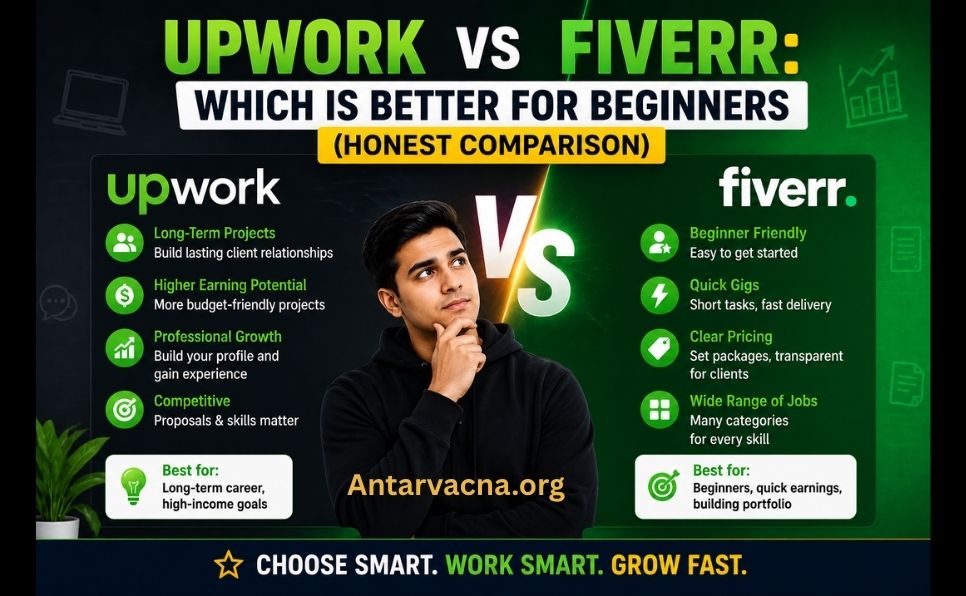
You want to start freelancing. You’ve heard of Upwork and Fiverr. Now you’re stuck wondering — which one should you actually start with?
You’re not alone. This is one of the most searched questions in the freelancing world — and for good reason. Both platforms have millions of users, billions in annual transactions, and completely different approaches to how freelancing works.
Choosing the wrong platform as a beginner can mean months of wasted effort, zero clients, and frustration that makes you want to quit.
In this complete honest comparison, you’ll learn:
- How Upwork and Fiverr actually work
- The key differences between the two platforms
- Fees, earning potential, and competition levels
- Which platform is easier for complete beginners
- Which skills work best on each platform
- Real pros and cons of both
- Our honest recommendation for 2026
Let’s find out which platform is right for you. 👇

Quick Answer: Upwork vs Fiverr at a Glance
| Feature | Upwork | Fiverr |
|---|---|---|
| Founded | 2015 (merger of oDesk + Elance) | 2010 |
| Business model | You bid on client projects | Clients find your services (Gigs) |
| Who initiates | You apply to jobs | Clients browse and order |
| Starting fees | 20% (decreases with earnings) | 20% flat on all orders |
| Minimum charge | No minimum | $5 minimum (hence “Fiverr”) |
| Typical projects | Long-term, higher budget | Short-term, lower to mid budget |
| Best for skills | Development, writing, consulting | Design, video, digital marketing |
| Beginner difficulty | Hard — competitive proposals | Medium — gig setup then wait |
| Earning potential | Higher ceiling | Lower ceiling but faster start |
| Profile approval | Open to all | Open to all |
| Global users | 18 million+ freelancers | 4 million+ freelancers |
What Is Upwork?
Upwork is the world’s largest freelancing marketplace — connecting businesses with freelancers for both short-term projects and long-term contracts.
How Upwork Works:
- Client posts a job — describing what they need, budget, and timeline
- Freelancers submit proposals — writing a cover letter and quoting their rate
- Client reviews proposals — interviews candidates and hires the best fit
- Work is completed — through Upwork’s platform
- Payment is released — Upwork holds payment in escrow until work is approved
Upwork’s Key Features:
- Connects: Hourly and fixed-price projects
- Contracts: Short-term gigs to multi-year engagements
- Payment protection: Escrow system for fixed projects, weekly billing for hourly
- Communication: Built-in messaging, video calls, file sharing
- Time tracking: Automatic screenshots for hourly contracts
- Connects system: You spend “Connects” (credits) to submit proposals
Upwork Stats in 2026:
- 18 million+ registered freelancers
- 5 million+ registered clients
- $4.1 billion in gross service volume annually
- Top categories: Software development, writing, design, finance, marketing
What Is Fiverr?
Fiverr is a freelancing marketplace where freelancers create “Gigs” — fixed-price service packages — and clients browse and purchase them directly.
How Fiverr Works:
- Freelancer creates a Gig — describing a specific service, pricing, and delivery time
- Client searches for services — browsing by category, price, and seller rating
- Client orders directly — no bidding or proposals needed
- Freelancer delivers work — within the agreed timeline
- Client reviews and pays — Fiverr releases payment after approval
Fiverr’s Key Features:
- Gig packages: Basic, Standard, and Premium tiers
- Gig Extras: Add-ons clients can purchase (faster delivery, revisions, etc.)
- Seller levels: New Seller → Level 1 → Level 2 → Top Rated Seller → Pro
- Fiverr Pro: Vetted high-end freelancers for premium clients
- Promoted Gigs: Paid advertising to boost your Gig visibility
- Fiverr Learn: Built-in courses to improve skills
Fiverr Stats in 2026:
- 4 million+ active sellers
- 700+ service categories
- $900 million+ in annual revenue
- Top categories: Graphic design, video editing, digital marketing, writing, programming
Key Differences: Upwork vs Fiverr
1. Business Model — The Biggest Difference
This is the fundamental difference between the two platforms:
Upwork = You go to clients
- Clients post jobs
- You write proposals and compete for each job
- Success depends heavily on your proposal writing skills
- More like applying for a job each time
Fiverr = Clients come to you
- You create Gigs (service packages)
- Clients search and find you
- Success depends on your Gig optimization and reviews
- More like running a small storefront
Which is better for beginners?
- Fiverr’s passive model is easier to start — create your Gig and wait
- Upwork requires active daily effort — writing proposals, competing against established freelancers
2. Fee Structure
Both platforms charge 20% — but the details differ:
Upwork Fees (Service Fees):
| Lifetime Billings With Client | Service Fee |
|---|---|
| First $500 | 20% |
| $500.01 – $10,000 | 10% |
| Over $10,000 | 5% |
Upwork’s fee decreases as you build relationships with clients. Long-term clients become significantly more profitable.
Additional Upwork costs:
- Connects: You need “Connects” to submit proposals. Free accounts get 10 Connects/month. Additional Connects cost $0.15 each. Most proposals require 2–6 Connects.
Fiverr Fees:
| Fee | |
|---|---|
| Seller fee | 20% flat on all orders |
| Buyer processing fee | 5.5% (paid by buyer) |
| Withdrawal fee | Varies by method ($1–$3 typically) |
Fiverr charges a flat 20% regardless of your earnings — there’s no loyalty discount.
Fee verdict: Upwork becomes cheaper as you build long-term client relationships. Fiverr always costs 20%.
3. Competition Level
Upwork Competition:
- 18 million+ freelancers competing for jobs
- Established freelancers with 100+ reviews have a massive advantage
- Beginners struggle to stand out in proposal lists
- Some job categories have 50–100+ proposals within hours
Fiverr Competition:
- 4 million+ sellers with Gigs
- New sellers start at the bottom of search results
- Algorithm rewards completed orders and reviews
- Niche Gigs with less competition can rank quickly
Competition verdict: Both are competitive. However, on Fiverr, a well-optimized Gig in a less competitive niche can rank on page 1. On Upwork, beginners are competing directly against top-rated freelancers every time they apply.
4. Earning Potential
Upwork Earning Potential:
| Level | Typical Hourly Rate |
|---|---|
| Beginner | $15–$30/hour |
| Intermediate | $30–$75/hour |
| Expert | $75–$200+/hour |
| Top specialists | $200–$500+/hour |
Upwork clients typically have larger budgets. Long-term contracts worth $10,000–$100,000+ are common for experienced freelancers.
Fiverr Earning Potential:
| Seller Level | Typical Order Value |
|---|---|
| New Seller | $5–$50 |
| Level 1 | $25–$150 |
| Level 2 | $50–$500 |
| Top Rated | $100–$2,000+ |
| Fiverr Pro | $500–$10,000+ |
Fiverr’s average order values are lower — but volume can compensate. Some Top Rated Sellers earn $10,000–$50,000+ per month.
Earning verdict: Upwork has a higher ceiling for experienced freelancers. Fiverr can generate faster initial income through volume.
5. Skills That Work Best
Best Skills for Upwork:
| Category | Examples |
|---|---|
| Software Development | Web dev, mobile apps, API integration |
| Writing & Content | Technical writing, copywriting, ghostwriting |
| Finance & Accounting | Bookkeeping, financial modeling, CFO services |
| Consulting | Business strategy, marketing consulting |
| Design | UI/UX design, product design |
| Data Science | Machine learning, data analysis |
Best Skills for Fiverr:
| Category | Examples |
|---|---|
| Graphic Design | Logo design, brand identity, social media graphics |
| Video & Animation | Video editing, explainer videos, intros/outros |
| Digital Marketing | SEO, social media management, email marketing |
| Writing | Blog posts, product descriptions, proofreading |
| Music & Audio | Voiceover, podcast editing, jingles |
| Programming | WordPress fixes, plugin customization |
6. How Long Until First Order/Contract
Upwork timeline for beginners:
- Profile setup: 1–2 days
- First proposal submission: Day 1
- First response: Usually 1–4 weeks
- First contract: 2–8 weeks on average (often longer)
- Main challenge: Low “Job Success Score” and zero reviews
Fiverr timeline for beginners:
- Gig setup: 1–2 hours
- Gig goes live: Within 24 hours
- First order: 1–8 weeks (varies widely by niche)
- Main challenge: Getting initial reviews to rank higher
Speed verdict: Neither platform gives instant results. But Fiverr’s passive model means your Gig works for you 24/7 — even while you sleep.
7. Client Quality
Upwork clients:
- Generally higher budgets
- More professional, long-term mindset
- Better communication expectations
- More willing to pay premium rates for quality
- Often larger businesses and startups
Fiverr clients:
- Mix of budgets — from $5 to $10,000+
- More transactional, short-term focus
- Some bargain hunters looking for the cheapest option
- Entrepreneurs, small businesses, content creators
- Growing number of professional buyers on Fiverr Pro
Client quality verdict: Upwork generally attracts higher-quality clients with larger budgets. However, Fiverr Pro is closing this gap significantly.
Pros and Cons: Upwork
✅ Upwork Pros:
- Higher earning potential for skilled freelancers
- Long-term contracts = stable income
- Better client quality on average
- Fees decrease with long-term client relationships
- More suitable for complex, high-value projects
- Strong payment protection
❌ Upwork Cons:
- Very difficult for beginners — zero reviews = hard to get hired
- Costs Connects (money) to submit proposals — even if rejected
- Proposal writing is a skill in itself — takes time to learn
- High competition — proposals compete against 50–100+ others
- Top-rated freelancers dominate search results
- Inconsistent income until you build a client base
Pros and Cons: Fiverr
✅ Fiverr Pros:
- Easier to set up and get started — no proposal writing needed
- Passive income potential — Gigs work while you’re offline
- Great for testing different services quickly
- Lower barrier to entry for beginners
- Clear pricing structure — easy to understand
- Faster initial orders for well-optimized Gigs
❌ Fiverr Cons:
- Flat 20% fee — never decreases
- Race to the bottom on price — heavy competition on low-priced Gigs
- Algorithm heavily favors established sellers with reviews
- Less suitable for high-value, complex projects
- Client communication can be challenging (language barriers)
- Difficult to build long-term client relationships
Which Platform Should Beginners Choose in 2026?
Choose Fiverr if you:
- ✅ Are a complete beginner with zero freelancing experience
- ✅ Have a specific, clearly defined service to offer
- ✅ Work in creative fields — design, video, writing, digital marketing
- ✅ Want a passive setup (create Gigs, wait for orders)
- ✅ Have limited time to actively apply for jobs daily
- ✅ Want to test the freelancing waters without heavy commitment
Choose Upwork if you:
- ✅ Have professional experience in your field (even from a regular job)
- ✅ Work in tech, finance, consulting, or specialized writing
- ✅ Are willing to spend 1–2 hours daily writing proposals
- ✅ Want to build long-term client relationships
- ✅ Are targeting higher-budget clients and projects
- ✅ Have patience to invest 2–3 months before seeing results
Our Honest Recommendation for 2026:
Start with Fiverr → Then add Upwork later.
Here’s why:
- Fiverr is easier to set up — create your Gig in 2 hours, go live within 24 hours
- Fiverr builds your portfolio — first few orders give you reviews and samples
- Fiverr teaches you client communication — without the pressure of proposal writing
- After 3–6 months on Fiverr — you’ll have reviews, samples, and confidence
- Then launch on Upwork — with a proven track record, your proposals are much stronger
Many successful freelancers use BOTH platforms simultaneously — diversifying their income sources.
How to Succeed on Fiverr as a Beginner
Step 1: Choose the Right Niche
Don’t offer everything. Pick ONE specific service that:
- You’re genuinely good at
- Has demand (check Fiverr search results)
- Has manageable competition (avoid saturated categories)
Step 2: Create an Optimized Gig
- Title: Include your main keyword naturally
- Description: Clear, benefit-focused, no fluff
- Tags: Use all 5 tags with relevant keywords
- Pricing: Start competitively — slightly below market rate
- Images: Professional, eye-catching Gig images (use Canva)
- Video: Adding a Gig video increases orders by 40%
Step 3: Get Your First Reviews
- Offer to do 2–3 small jobs for friends/family at a discount
- Deliver exceptional quality — 5-star reviews are everything
- Respond to every inquiry within 1 hour (improves ranking)
Step 4: Optimize for Fiverr SEO
- Research keywords buyers use to search for your service
- Include those keywords in your title, description, and tags
- Keep your response rate above 90%
- Maintain high order completion rate
How to Succeed on Upwork as a Beginner
Step 1: Build a Strong Profile
- Professional photo (not casual)
- Compelling headline with your key skill and value proposition
- Detailed overview explaining your experience and results
- Portfolio samples — even personal projects count
- Skills test scores — complete relevant Upwork skill assessments
Step 2: Write Winning Proposals
- Never use template proposals — clients can spot them instantly
- Address the client’s specific problem in the first line
- Show you’ve read their job description (reference specific details)
- Include relevant samples or portfolio links
- Keep it concise — under 200 words initially
- End with a specific question to start a conversation
Step 3: Start With Lower Rates
As a beginner with no reviews, you must be price-competitive. Start 20–30% below market rate until you have 3–5 positive reviews. Then gradually increase.
Step 4: Apply to Less Competitive Jobs
- Filter for jobs posted in the last 24 hours with fewer than 5 proposals
- Target smaller budgets ($100–$500) — less competition
- Look for clients with no previous hiring history — they’re more open to new freelancers
Upwork vs Fiverr: Skills Demand in 2026
Based on platform data, these skills are highest in demand in 2026:
Most In-Demand on Upwork (2026):
- AI/ML Development
- Full-Stack Web Development
- Blockchain Development
- Video Editing & Production
- SEO & Content Strategy
- Data Analysis & Visualization
- Mobile App Development
- Copywriting & Content Writing
Most In-Demand on Fiverr (2026):
- AI-Generated Art & Design
- Video Editing & Short-Form Content
- Logo & Brand Identity Design
- WordPress Development
- Social Media Management
- Voiceover & Audio Production
- SEO Services
- Translation Services
📖 Want to rank your freelancing service pages on Google? Learn SEO basics: Keyword Research for Beginners: Complete Guide
Fees Comparison: Real Numbers
Let’s say you earn $1,000 from a project:
| Platform | Your Earnings | Platform Fee | You Receive |
|---|---|---|---|
| Fiverr | $1,000 | $200 (20%) | $800 |
| Upwork (first $500) | $1,000 | $200 (20%) | $800 |
| Upwork ($500–$10K) | $1,000 | $100 (10%) | $900 |
| Upwork (over $10K) | $1,000 | $50 (5%) | $950 |
Long-term Upwork clients become significantly more profitable over time.
Common Beginner Mistakes to Avoid
On Fiverr:
- ❌ Setting prices too low (attracts difficult clients, devalues your work)
- ❌ Creating too many Gigs at once (focus on 1–3 maximum)
- ❌ Ignoring Gig SEO (title, tags, description keywords)
- ❌ Slow response time (kills your ranking algorithm score)
- ❌ Over-promising and under-delivering (negative reviews destroy you)
On Upwork:
- ❌ Sending generic copy-paste proposals
- ❌ Not customizing your profile for specific job types
- ❌ Applying to too many jobs without tailoring each proposal
- ❌ Quoting too high before establishing any reviews
- ❌ Giving up after the first week — Upwork takes time
The Verdict: Upwork vs Fiverr in 2026
| Upwork | Fiverr | |
|---|---|---|
| Best for beginners | ⚠️ Harder start | ✅ Easier start |
| Earning ceiling | ✅ Higher | ⚠️ Lower |
| Time to first income | ⚠️ Slower | ✅ Faster |
| Long-term income | ✅ More stable | ⚠️ More variable |
| Fee structure | ✅ Decreases | ⚠️ Always 20% |
| Client quality | ✅ Higher average | ⚠️ Mixed |
| Creative work | ⚠️ Less common | ✅ Better fit |
| Tech/consulting | ✅ Better fit | ⚠️ Less common |
Bottom line: Neither platform is universally better. The best platform for you depends on your skills, experience level, and working style. Most successful freelancers eventually use both.
Conclusion — Start Today, Not Tomorrow
The biggest mistake beginners make is spending weeks researching instead of just starting.
Here’s your action plan:
If you’re a complete beginner:
- Create a Fiverr account today
- Set up 1–2 well-optimized Gigs in your best skill
- Price competitively and respond to every inquiry instantly
- Deliver exceptional quality on your first orders
- After 3–6 months and 10+ reviews — launch on Upwork too
If you have professional experience:
- Create profiles on BOTH platforms simultaneously
- On Fiverr: Set up Gigs for your most defined, package-able services
- On Upwork: Invest in a strong profile and start sending 3–5 proposals daily
- Track which platform generates better results for your specific skills
- Double down on what works
The freelancing economy is booming in 2026. Over 73 million Americans freelance. Remote work is permanent. The opportunity has never been bigger.
The platform matters less than starting. Pick one, commit, and start delivering excellent work.
Frequently Asked Questions (FAQ)
Can I use both Upwork and Fiverr at the same time?
Absolutely — and most successful freelancers do. Having profiles on both platforms diversifies your income sources and reduces dependence on any single platform. Many freelancers start on Fiverr, build reviews and a portfolio, then expand to Upwork for higher-value projects.
Which platform pays more — Upwork or Fiverr?
Upwork generally has higher-paying projects, particularly for technical skills like software development, consulting, and finance. However, Fiverr Top Rated Sellers and Fiverr Pro sellers can earn $10,000–$50,000+ per month through volume and premium Gigs. Your earning depends more on your skills and niche than the platform.
How long does it take to earn money on Fiverr?
It varies widely. Some beginners get their first order within a week; others wait 2–3 months. Key factors: how competitive your niche is, how well-optimized your Gig is, your response time, and the quality of your Gig images and description. A well-optimized Gig in a less competitive niche typically gets first orders within 2–4 weeks.
Is Fiverr good for beginners with no experience?
Yes — Fiverr is the most beginner-friendly freelancing platform. You don’t need a portfolio or proposals to start. However, “no experience” doesn’t mean “no skill” — you should genuinely be able to deliver the service you’re selling. Starting with a skill you already have (even from a hobby or personal projects) is the best approach.
What skills are most profitable on each platform in 2026?
On Upwork: AI/ML development, full-stack web development, and specialized consulting command the highest rates ($100–$300+/hour). On Fiverr: Video editing, logo design, and AI-related services are among the highest-earning Gig categories, with top sellers earning $500–$2,000+ per order.
Do I need to pay to join Upwork or Fiverr?
Both platforms are free to join. Upwork gives you 10 free Connects per month to submit proposals; additional Connects cost $0.15 each. Fiverr is completely free to create and list Gigs — they only take their 20% commission when you make a sale.
Found this comparison helpful? Share it with someone starting their freelancing journey. Have a question about Upwork or Fiverr? Drop it in the comments — we answer every one!