
Every 39 seconds, a cyberattack happens somewhere in the world.
In 2025 alone, cybercrime cost the global economy over $8 trillion — more than the GDP of most countries. And in 2026, that number is expected to rise even higher.
Yet most people still use “123456” as their password, click on suspicious links, and ignore software updates — leaving themselves completely exposed.
Cybersecurity is no longer just an IT department problem. It affects every person, every business, and every device connected to the internet.
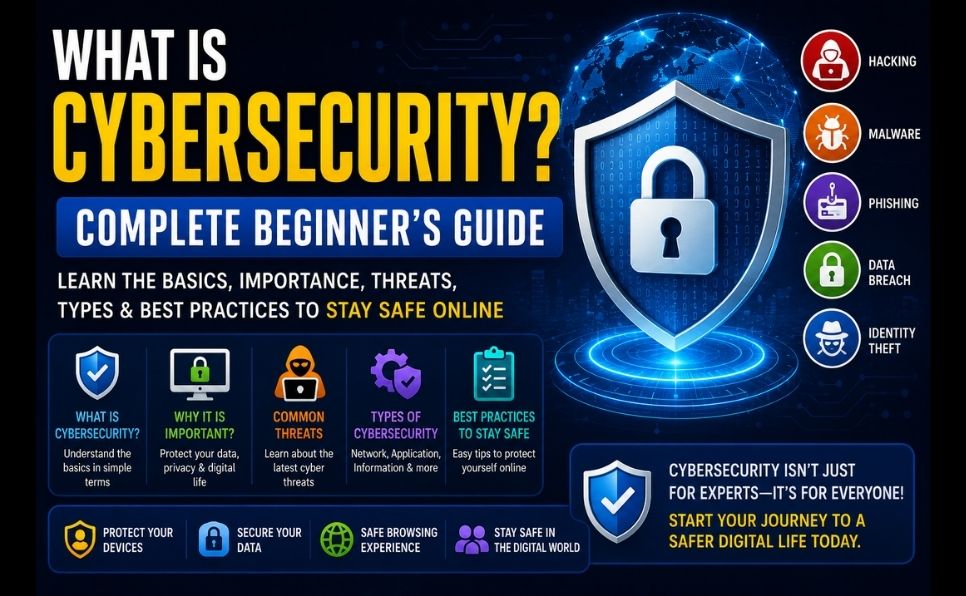
In this complete beginner’s guide, you’ll learn:
- What cybersecurity is and why it matters
- The most common cyber threats in 2026
- The different types of cybersecurity
- How hackers actually attack systems
- How to protect yourself online — practical steps
- The best free tools to stay secure
- Career opportunities in cybersecurity
No technical background needed. Let’s dive in. 👇
What Is Cybersecurity? (Simple Definition)
Cybersecurity is the practice of protecting computers, networks, systems, and data from digital attacks, unauthorized access, damage, or theft.
In simpler terms: cybersecurity is everything you do to keep your digital life safe — from the password you use on your email to the firewall protecting a bank’s servers.
Just as physical security protects your home from burglars, cybersecurity protects your digital assets from cybercriminals.
What Does Cybersecurity Protect?
| What’s Protected | Examples |
|---|---|
| Personal data | Passwords, credit card numbers, photos, messages |
| Financial information | Bank accounts, payment details, crypto wallets |
| Business data | Customer records, intellectual property, trade secrets |
| Infrastructure | Power grids, hospitals, government systems |
| Devices | Computers, smartphones, tablets, IoT devices |
| Networks | WiFi, corporate networks, the internet itself |
Why Is Cybersecurity So Important in 2026?
The Numbers Are Staggering:
- $8 trillion+ — Global cost of cybercrime in 2025
- 2,200+ — Cyberattacks per day worldwide
- 300% — Increase in reported cybercrime since 2020
- 95% — Of cybersecurity breaches caused by human error
- $4.9 million — Average cost of a data breach for a business
- 60% — Of small businesses close within 6 months of a major cyberattack
Why Attacks Are Increasing:
- More devices connected to the internet than ever before
- AI is making cyberattacks more sophisticated and automated
- Remote work expanded attack surfaces dramatically
- Cryptocurrency enables anonymous ransom payments
- Many organizations still use outdated, unpatched systems
💡 Just like you wouldn’t leave your front door unlocked, you shouldn’t leave your digital life unprotected. Cybersecurity is digital self-defense.

The Most Common Cyber Threats in 2026
Understanding what you’re protecting against is the first step to protecting yourself.
1. Phishing Attacks
What it is: Fraudulent emails, messages, or websites that trick you into revealing sensitive information — passwords, credit card numbers, personal data.
How it works:
- You receive an email that looks like it’s from your bank, Google, or Amazon
- It says your account has been compromised — click here to verify
- You click → fake website → you enter your login details → hacker steals them
2026 evolution: AI-powered phishing creates perfectly personalized messages that are nearly indistinguishable from legitimate communications.
How to spot it:
- Check the sender’s actual email address (not just the display name)
- Hover over links before clicking — check the real URL
- Legitimate companies never ask for passwords via email
- Look for spelling errors and urgency pressure tactics
2. Malware
What it is: Malicious software designed to damage, disrupt, or gain unauthorized access to computer systems.
Types of malware:
| Type | What It Does |
|---|---|
| Virus | Attaches to files and spreads when files are shared |
| Ransomware | Encrypts your files and demands payment to unlock them |
| Spyware | Secretly monitors your activity and steals data |
| Trojan | Disguises itself as legitimate software |
| Worm | Self-replicates and spreads across networks |
| Adware | Shows unwanted ads and tracks your browsing |
| Keylogger | Records every keystroke — including passwords |
How malware spreads:
- Clicking malicious email attachments
- Downloading software from unofficial sources
- Visiting compromised websites
- Using infected USB drives
- Outdated software with unpatched vulnerabilities
3. Ransomware
What it is: A type of malware that encrypts your files — making them completely inaccessible — and demands a ransom payment (usually in cryptocurrency) to restore access.
Why it’s so dangerous:
- Can encrypt entire business networks in minutes
- Average ransom demand in 2025: $2.73 million
- Even paying doesn’t guarantee file recovery
- Healthcare, schools, and government agencies are primary targets
Real examples:
- Colonial Pipeline (2021) — paid $4.4 million, caused US fuel shortages
- NHS UK (2017) — WannaCry attack disrupted hospitals nationwide
- Change Healthcare (2024) — $22 million ransom, disrupted US healthcare
4. Password Attacks
What it is: Attempts to crack or steal passwords to gain unauthorized access to accounts.
Types:
| Attack Type | How It Works |
|---|---|
| Brute force | Tries every possible password combination |
| Dictionary attack | Tries common words and phrases |
| Credential stuffing | Uses leaked password lists from other breaches |
| Password spraying | Tries a few common passwords across many accounts |
The shocking reality: The most common passwords in 2026 are still:
- 123456
- password
- 123456789
- 12345
- qwerty
These take less than 1 second to crack.
5. Man-in-the-Middle (MitM) Attacks
What it is: An attacker secretly intercepts communication between two parties — reading, altering, or stealing data in transit.
Common scenarios:
- Using public WiFi at a coffee shop or airport
- Attacker positions themselves between you and the router
- Intercepts your banking login, messages, or emails
How to protect yourself: Always use a VPN on public WiFi.
📖 Learn how VPNs protect you: What Is VPN and Why Do You Need One?
6. Social Engineering
What it is: Psychological manipulation that tricks people into revealing confidential information or performing actions that compromise security.
Examples:
- Pretexting — Attacker pretends to be IT support and asks for your password
- Baiting — Leaving an infected USB drive in a parking lot — curiosity makes someone plug it in
- Quid pro quo — Offering something (free software, help) in exchange for information
- Vishing — Voice phishing — fake phone calls from “bank security”
Key insight: Social engineering targets human psychology, not technical systems. No firewall protects against a user being manipulated.
7. Zero-Day Exploits
What it is: Attacks that exploit previously unknown vulnerabilities in software — before the developer has had a chance to fix them.
Why they’re dangerous:
- No patch exists yet — no defense is possible at the software level
- Often used in sophisticated nation-state attacks
- Can affect millions of devices before being discovered
Protection: Keep all software updated immediately when patches are released — this closes known vulnerabilities before attackers exploit them.
8. Distributed Denial of Service (DDoS) Attacks
What it is: Overwhelming a server, website, or network with massive amounts of traffic — making it unavailable to legitimate users.
How it works:
- Attacker controls thousands of compromised computers (botnet)
- Directs them all to flood a target simultaneously
- Target’s servers can’t handle the load — website goes down
Targets: Websites, online gaming platforms, financial institutions, government services.
Types of Cybersecurity
Cybersecurity is a broad field with several specialized domains:
1. Network Security
Protecting computer networks from intrusions, attacks, and unauthorized access.
- Firewalls, intrusion detection systems, VPNs
- Monitoring network traffic for suspicious activity
2. Application Security
Securing software applications from threats throughout development and deployment.
- Code reviews and security testing
- Patching vulnerabilities in apps and websites
- Web Application Firewalls (WAF)
3. Cloud Security
Protecting data, applications, and infrastructure in cloud environments.
- Encryption of cloud-stored data
- Identity and access management
- Cloud security posture management
📖 Understand cloud computing and its security implications: What Is Cloud Computing and How Does It Work?
4. Endpoint Security
Securing individual devices — computers, smartphones, tablets — that connect to networks.
- Antivirus and anti-malware software
- Device encryption
- Mobile device management (MDM)
5. Information Security (InfoSec)
Protecting the confidentiality, integrity, and availability of information.
- Data encryption
- Access controls
- Data backup and recovery
6. Operational Security (OpSec)
Processes and decisions for handling and protecting data assets.
- User permissions and access controls
- Policies for handling sensitive information
- Monitoring who accesses what data and when
7. Disaster Recovery and Business Continuity
Planning for how an organization responds to a cyberattack or other disruption.
- Backup systems and data recovery plans
- Incident response procedures
- Business continuity planning
8. Human Security (Security Awareness)
Training users to recognize and respond to cybersecurity threats — because 95% of breaches involve human error.
- Phishing simulation training
- Security awareness programs
- Password hygiene education
How Hackers Actually Attack — The Attack Lifecycle
Understanding how hackers operate helps you defend against them:
Phase 1: Reconnaissance
Hacker gathers information about the target — publicly available data, social media, company websites, employee names.
Phase 2: Scanning
Hacker scans the target’s systems for vulnerabilities — open ports, outdated software, weak passwords.
Phase 3: Gaining Access
Exploits the vulnerability — phishing email, unpatched software, stolen credentials, social engineering.
Phase 4: Maintaining Access
Installs backdoors or malware to maintain persistent access — even if the original vulnerability is patched.
Phase 5: Covering Tracks
Deletes logs, hides malicious files, removes evidence of the intrusion.
Phase 6: Executing the Attack
Steals data, deploys ransomware, disrupts services, or uses the compromised system to attack others.
How to Protect Yourself Online — 15 Practical Steps
🔐 Password Security
1. Use Strong, Unique Passwords Every account should have a different password. A strong password:
- Is at least 12 characters long
- Contains uppercase, lowercase, numbers, and symbols
- Is NOT a dictionary word or personal information
- Is NOT reused across multiple accounts
2. Use a Password Manager A password manager generates and stores strong, unique passwords for every account — you only need to remember one master password.
Best free password managers:
- Bitwarden — open source, excellent free tier
- 1Password — premium but highly recommended
- Google Password Manager — built into Chrome, free
3. Enable Two-Factor Authentication (2FA) 2FA adds a second layer of verification beyond your password — a code sent to your phone, an authenticator app, or a hardware key.
Enable 2FA on: Email, banking, social media, crypto accounts — every account that supports it.
Best authenticator apps:
- Google Authenticator (free)
- Microsoft Authenticator (free)
- Authy (free, multi-device backup)
🛡️ Device Security
4. Keep All Software Updated Software updates patch security vulnerabilities. Enable automatic updates for:
- Operating system (Windows, macOS, iOS, Android)
- Web browser
- All apps
5. Install Antivirus/Anti-Malware Software Free options:
- Windows Defender — built into Windows, surprisingly effective
- Malwarebytes — excellent free malware scanner
6. Enable Device Encryption
- Windows: BitLocker (built-in)
- Mac: FileVault (built-in)
- iPhone/Android: Encrypted by default with screen lock enabled
7. Lock Your Devices Always use a PIN, password, or biometric lock on all devices. Enable auto-lock after 1–2 minutes of inactivity.
🌐 Online Safety
8. Use a VPN on Public WiFi Never use public WiFi (cafes, airports, hotels) without a VPN. A VPN encrypts your connection — preventing man-in-the-middle attacks.
9. Check Website Security (HTTPS) Before entering any sensitive information, verify:
- The URL starts with
https://(nothttp://) - There’s a padlock icon in the browser address bar
- The domain name is spelled correctly (beware of look-alike domains)
10. Be Suspicious of Unsolicited Communications
- Never click links in unexpected emails — go directly to the website instead
- Verify phone callers independently — look up the official number yourself
- If something seems urgent or too good to be true — it’s probably a scam
11. Back Up Your Data Regularly Follow the 3-2-1 backup rule:
- 3 copies of your data
- 2 different storage types (e.g., computer + external drive)
- 1 offsite copy (cloud backup)
If ransomware strikes — backups save you from paying the ransom.
12. Review App Permissions Regularly audit what permissions your apps have:
- Does a flashlight app need access to your contacts? No.
- Does a game need access to your microphone? Probably not.
13. Use Secure, Private Email Consider using encrypted email services for sensitive communications:
- ProtonMail — end-to-end encrypted, free tier available
- Gmail with 2FA enabled — reasonably secure for most users
14. Monitor Your Accounts for Breaches Check if your email has been in a data breach:
- HaveIBeenPwned.com — free tool that checks your email against known breach databases
15. Educate Yourself Continuously Cyber threats evolve constantly. Follow security news and stay informed about new threats and scams targeting users.
Cybersecurity Tools — Free Options for Everyone
| Tool | Purpose | Cost |
|---|---|---|
| Windows Defender | Antivirus/antimalware | Free (built-in) |
| Malwarebytes | Malware scanner | Free tier |
| Bitwarden | Password manager | Free tier |
| Google Authenticator | Two-factor authentication | Free |
| ProtonMail | Encrypted email | Free tier |
| HaveIBeenPwned | Data breach checker | Free |
| Cloudflare 1.1.1.1 | Secure DNS | Free |
| Signal | Encrypted messaging | Free |
Cybersecurity for Businesses
Businesses face significantly higher stakes — a single breach can cost millions and destroy customer trust.
Essential Business Security Measures:
Employee Training 95% of breaches involve human error. Regular security awareness training is the highest-ROI security investment.
Access Control (Principle of Least Privilege) Employees should only have access to the data and systems they need for their specific job — nothing more.
Regular Security Audits Periodically test your own systems for vulnerabilities before attackers find them — penetration testing.
Incident Response Plan Have a written plan for what to do when (not if) a breach occurs — who to notify, how to contain it, how to recover.
Cyber Insurance Business cyber insurance covers costs from breaches — legal fees, customer notification, recovery expenses.
Cybersecurity Careers — A Booming Industry
Cybersecurity is one of the fastest-growing and highest-paying career fields in technology:
| Role | Average Salary (2026) | Entry Requirements |
|---|---|---|
| Security Analyst | $85,000–$110,000 | CompTIA Security+ certification |
| Penetration Tester | $95,000–$130,000 | CEH or OSCP certification |
| Security Engineer | $110,000–$150,000 | CS degree + experience |
| CISO | $200,000–$400,000+ | Extensive experience |
| Cloud Security Specialist | $120,000–$160,000 | Cloud + security certs |
Global cybersecurity workforce shortage: 3.5 million unfilled positions worldwide in 2026 — making it one of the most in-demand fields.
Where to learn:
- CompTIA Security+ — best entry-level certification
- Google Cybersecurity Certificate — free on Coursera
- Cybrary — free cybersecurity courses
Cybersecurity vs Information Security — What’s the Difference?
| Cybersecurity | Information Security | |
|---|---|---|
| Scope | Digital assets and systems | All information (digital AND physical) |
| Focus | Cyber threats and attacks | Confidentiality, integrity, availability |
| Includes | Network security, endpoint security, cloud security | Cybersecurity + physical security + policy |
| Broader term | Subset of information security | Broader discipline |
Conclusion — Cybersecurity Is Everyone’s Responsibility
Cybersecurity is not just for IT professionals or large corporations. In 2026, every person who uses the internet is a potential target — and every person who takes basic precautions is significantly safer.
Your immediate action plan:
- Change weak passwords — use a password manager today
- Enable 2FA on all important accounts — email, banking, social media
- Update all software — operating system, browser, apps
- Install antivirus — Windows Defender is free and effective
- Check your email at HaveIBeenPwned.com
- Use HTTPS only — look for the padlock before entering any data
- Back up your data — follow the 3-2-1 rule
The most sophisticated cybersecurity systems in the world are defeated every day by simple human errors. Taking these basic steps puts you ahead of the vast majority of users — and dramatically reduces your risk.
Stay safe online.
Frequently Asked Questions (FAQ)
What is the most common type of cyberattack?
Phishing is consistently the most common cyberattack — accounting for over 90% of all data breaches. It targets human psychology rather than technical systems, making it effective against even well-secured organizations.
Do I need antivirus software in 2026?
Yes — though modern antivirus is just one layer of protection. Windows Defender (free, built-in) provides solid baseline protection for most users. Pair it with safe browsing habits, strong passwords, and 2FA for comprehensive protection.
Is public WiFi safe to use?
Public WiFi is inherently insecure — anyone on the same network can potentially intercept your traffic. Always use a VPN when connecting to public WiFi, and avoid accessing sensitive accounts (banking, email) without one.
How do I know if I’ve been hacked?
Warning signs include: unexpected password change notifications, unrecognized account activity, device running unusually slow, unexpected pop-ups, friends receiving strange messages from your accounts, or unfamiliar charges on financial statements. Check HaveIBeenPwned.com to see if your email appears in known data breaches.
What should I do if I’m a victim of ransomware?
Do not pay the ransom — it doesn’t guarantee file recovery and encourages more attacks. Immediately disconnect infected devices from the network, contact law enforcement (FBI’s IC3 in the US), and restore from clean backups if available. Prevention through regular backups is the best defense.
How often should I change my passwords?
Security experts now recommend changing passwords only when there’s reason to believe they’ve been compromised (breach notification, suspicious activity) — rather than on a fixed schedule. Focus instead on using unique, strong passwords for every account and enabling 2FA.
Found this guide helpful? Share it with someone who needs to improve their online security. Have a question about cybersecurity? Drop it in the comments — we answer every one!