Every website you’ve ever visited — Google, Amazon, your favorite blog — lives somewhere. Not in a vague “online” sense, but on a physical computer, sitting in a data center, running 24/7, ready to deliver that website to anyone who types in its address.
That “somewhere” is web hosting — and if you’re planning to build a website, blog, or online business, it’s the very first thing you need to understand.
In this complete beginner’s guide, you’ll learn:
- What web hosting actually is, in plain English
- How web hosting works behind the scenes
- The different types of web hosting available
- How to choose the right hosting for your needs
- Common hosting mistakes beginners make
- What to look for (and avoid) in 2026
No technical background needed. Let’s get started. 👇
What Is Web Hosting? (Simple Definition)
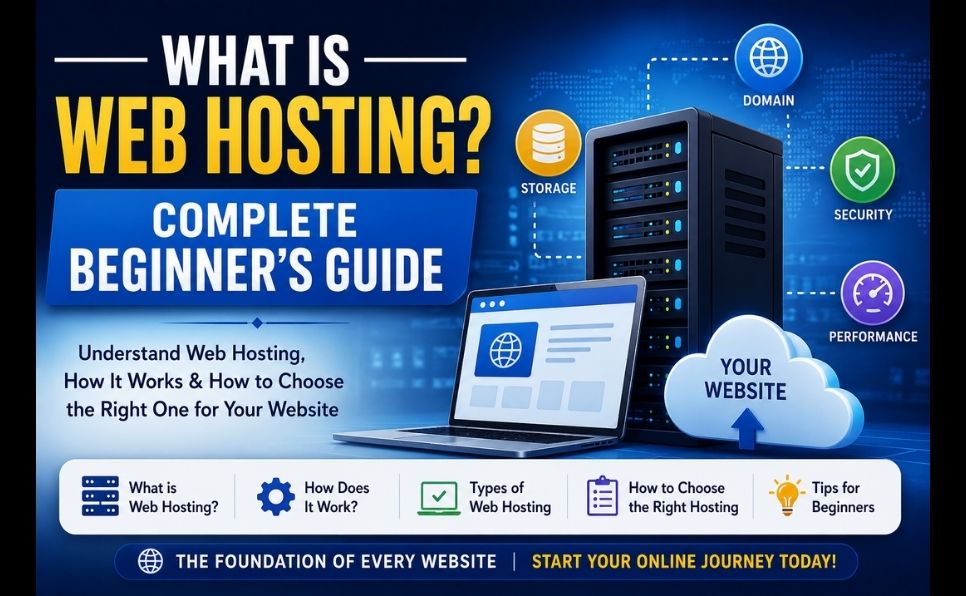
Web hosting is a service that stores your website’s files on a powerful computer called a server, and makes those files accessible to anyone on the internet, 24 hours a day.
When someone types your website address into their browser, that request travels to your hosting provider’s server, which retrieves your website’s files and sends them back — displaying your site on the visitor’s screen.
The Simplest Analogy
Think of web hosting like renting space for a shop:
| Real World | Website World |
|---|---|
| You rent a shop space | You rent server space (hosting) |
| Your shop has an address | Your website has a domain name |
| Customers walk in to see your products | Visitors type your URL to see your site |
| The landlord maintains the building | Your host maintains the server |
| You stock the shelves with products | You upload your website files |
Without hosting, your website files would just sit on your personal computer — invisible to the rest of the world. Hosting makes your site publicly accessible.

How Does Web Hosting Actually Work?
Understanding the technical flow makes everything else click into place.
Step 1: You Build Your Website
Your website consists of files — HTML, CSS, JavaScript, images, databases, and more. These files need to live somewhere accessible 24/7.
Step 2: You Choose a Hosting Provider
You sign up with a hosting company (like Hostinger, Bluehost, or SiteGround) that owns or rents powerful servers in data centers around the world.
Step 3: You Upload Your Website Files
Using tools like FTP, cPanel, or a one-click installer (for platforms like WordPress), you transfer your website files to your hosting provider’s server.
Step 4: You Connect Your Domain Name
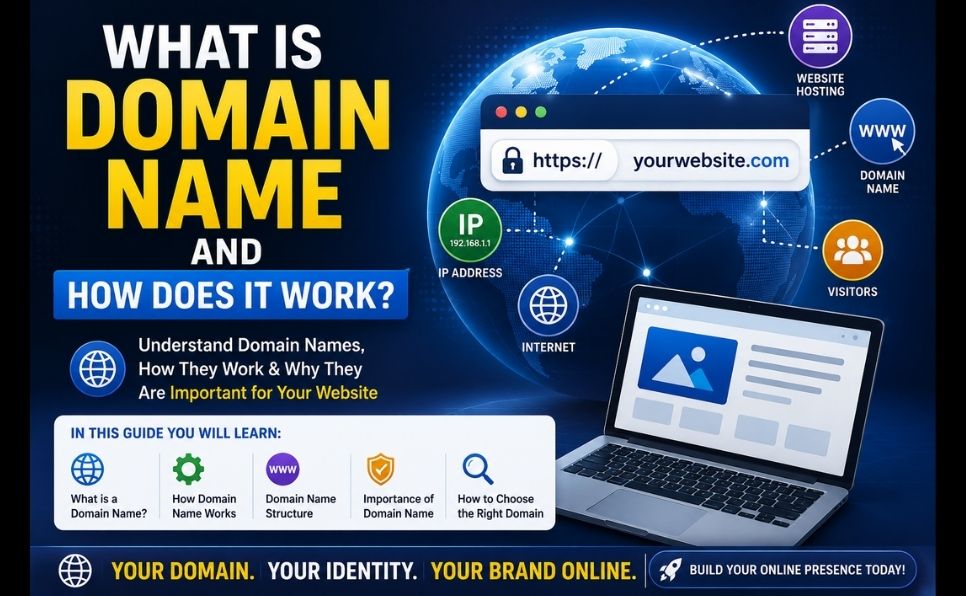
Your domain name (like antarvacna.org) is pointed to your hosting server’s address using DNS (Domain Name System) settings — essentially telling the internet “this domain lives at this server.”
Step 5: A Visitor Requests Your Website
When someone types your domain into their browser:
Visitor types: antarvacna.org
         ↓
DNS looks up which server hosts this domain
         ↓
Request sent to your hosting server
         ↓
Server retrieves your website files
         ↓
Files sent back to visitor's browser
         ↓
Website displays on their screen
This entire process typically takes under 1 second.
What Exactly Is a “Server”?
A server is simply a powerful computer — similar to your laptop, but designed to run continuously, handle many requests simultaneously, and stay connected to the internet at all times.
What’s Inside a Server:
| Component | Purpose |
|---|---|
| CPU (Processor) | Processes requests and runs your website’s code |
| RAM (Memory) | Temporarily stores data for fast access |
| Storage (SSD/HDD) | Permanently stores your website files and database |
| Bandwidth | Determines how much data can be transferred to visitors |
| Operating System | Usually Linux (most common for web hosting) |
Servers live in data centers — massive, secure facilities with redundant power, cooling systems, and internet connections, designed to keep servers running 24/7/365.
📖 Want to understand the broader infrastructure behind hosting? Read: What Is Cloud Computing and How Does It Work?
Types of Web Hosting Explained
Not all hosting is the same. Choosing the right type depends on your website’s size, traffic, and budget.
What it is: Your website shares a single server with hundreds (sometimes thousands) of other websites — all splitting the server’s resources.
Analogy: Like living in an apartment building — you share the building’s resources (water, electricity, elevators) with other tenants.
| Details | |
|---|---|
| Cost | $2–$10/month |
| Best for | New blogs, small business websites, beginners |
| Pros | Cheapest option, easy to use, beginner-friendly |
| Cons | Slower during traffic spikes, limited resources, “noisy neighbor” effect |
Popular providers: Hostinger, Bluehost, HostGator
2. WordPress Hosting
What it is: Hosting specifically optimized for WordPress websites — pre-configured with WordPress-specific caching, security, and performance settings.
| Details | |
|---|---|
| Cost | $3–$25/month |
| Best for | Blogs, business sites running WordPress |
| Pros | Faster WordPress performance, automatic updates, WordPress-specific support |
| Cons | Limited to WordPress, can be more expensive than generic shared hosting |
Popular providers: Hostinger WordPress Hosting, Bluehost WordPress, WP Engine
3. VPS Hosting (Virtual Private Server)
What it is: A physical server is divided into multiple virtual servers — each with dedicated resources, even though they share the same physical hardware.
Analogy: Like a townhouse — you share the building structure, but you have your own private space, utilities, and entrance.
| Details | |
|---|---|
| Cost | $10–$80/month |
| Best for | Growing websites, businesses needing more control |
| Pros | Dedicated resources, more control, better performance than shared |
| Cons | Requires more technical knowledge, more expensive |
Popular providers: DigitalOcean, Vultr, Hostinger VPS
4. Dedicated Hosting
What it is: You rent an entire physical server — all its resources belong to you alone.
Analogy: Like owning a standalone house — the entire building and everything in it is yours.
| Details | |
|---|---|
| Cost | $80–$500+/month |
| Best for | Large businesses, high-traffic websites, enterprises |
| Pros | Maximum performance, full control, highest security |
| Cons | Expensive, requires technical expertise to manage |
Popular providers: Liquid Web, InMotion Hosting, OVHcloud
5. Cloud Hosting
What it is: Your website is hosted across a network of multiple servers rather than just one — if one server has issues, others automatically take over.
| Details | |
|---|---|
| Cost | Pay-as-you-go, varies widely |
| Best for | Websites with unpredictable or growing traffic |
| Pros | Highly scalable, excellent uptime, pay for what you use |
| Cons | Pricing can be unpredictable, more complex setup |
Popular providers: AWS, Google Cloud, Cloudflare, DigitalOcean
📖 Learn more about how cloud infrastructure powers modern websites: What Is Cloud Computing and How Does It Work?
6. Reseller Hosting
What it is: You purchase hosting resources in bulk and resell them to your own clients — popular among web developers and agencies.
| Details | |
|---|---|
| Cost | $15–$50/month (wholesale) |
| Best for | Web developers, agencies, freelancers managing client sites |
| Pros | Income opportunity, manage multiple client sites from one dashboard |
| Cons | Requires customer support responsibility |
📖 If you’re managing multiple client websites, you’ll also want billing software: What Is WHMCS? Complete Beginner’s Guide for Web Hosting
Quick Comparison Table:
| Hosting Type | Cost/Month | Best For | Technical Skill Needed |
|---|---|---|---|
| Shared | $2–$10 | Beginners, small blogs | None |
| WordPress | $3–$25 | WordPress sites | Low |
| VPS | $10–$80 | Growing websites | Medium |
| Dedicated | $80–$500+ | Large businesses | High |
| Cloud | Pay-as-you-go | Variable traffic sites | Medium-High |
| Reseller | $15–$50 | Agencies, freelancers | Medium |
Key Hosting Terms Every Beginner Should Know
Bandwidth
The amount of data your website can transfer to visitors over a period of time. Higher traffic = more bandwidth needed.
Storage
How much space you have for your website files, images, videos, and databases. Measured in GB (gigabytes).
Uptime
The percentage of time your website is online and accessible. Look for 99.9%+ uptime guarantees — anything lower means significant downtime over a year.
| Uptime % | Downtime Per Year |
|---|---|
| 99.9% | ~8.7 hours |
| 99.99% | ~52 minutes |
| 99.999% | ~5 minutes |
SSL Certificate
Encrypts data between your website and visitors — required for HTTPS (the secure “lock icon” in browsers). Most hosts now include free SSL certificates (via Let’s Encrypt).
Control Panel (cPanel)
The dashboard you use to manage your hosting account — install software, manage files, create email accounts, view statistics.
Server Location
The physical location of your hosting server affects loading speed for visitors in different regions. Choose a server location close to your target audience.
Nameservers / DNS
The system that connects your domain name to your hosting server. When you buy hosting, you’ll update your domain’s nameservers to point to your host.
How to Choose the Right Web Hosting (Step-by-Step)
Step 1: Determine Your Website Type
- Personal blog → Shared or WordPress hosting
- Small business site → Shared or WordPress hosting
- eCommerce store → WordPress hosting (WooCommerce) or Cloud hosting
- High-traffic blog/media site → VPS or Cloud hosting
- Agency managing multiple sites → Reseller or VPS hosting
Step 2: Estimate Your Traffic
- Under 10,000 visitors/month → Shared hosting is sufficient
- 10,000–100,000 visitors/month → WordPress hosting or VPS
- 100,000+ visitors/month → VPS, Cloud, or Dedicated hosting
Step 3: Check Essential Features
| Feature | Why It Matters |
|---|---|
| Free SSL certificate | Required for security and SEO |
| 99.9%+ uptime guarantee | Ensures your site stays online |
| Daily backups | Protects against data loss |
| 24/7 support | Critical when issues arise |
| Money-back guarantee | Lets you test risk-free |
| One-click WordPress install | Saves setup time |
Step 4: Test Page Speed Before Committing
Before signing up, search for reviews that include speed tests. A slow host will hurt both user experience and SEO.
📖 Page speed directly affects your Google rankings: Page Speed Optimization: Complete Guide
Step 5: Check Server Location Options
If your audience is primarily in one region, choose a host with servers in or near that region for faster load times.
Step 6: Read Renewal Pricing — Carefully
Many hosts offer attractive “first term” discounts that increase dramatically on renewal. Always check the renewal price, not just the introductory offer.
Example:
| First Term | Renewal | |
|---|---|---|
| Provider A | $2.99/month | $8.99/month |
| Provider B | $3.99/month | $5.99/month |
Provider B might be the better long-term value despite a higher initial price.
Common Web Hosting Mistakes Beginners Make
❌ Mistake 1: Choosing Based Only on Price
The cheapest hosting often means the most overcrowded servers, slowest speeds, and weakest support. A few extra dollars per month can mean dramatically better performance.
❌ Mistake 2: Ignoring Server Location
If your audience is in the US but your server is in Asia, your site will load slower for US visitors — affecting both user experience and search rankings.
❌ Mistake 3: Not Checking Uptime Track Record
Look for independent reviews and uptime monitoring reports — not just the host’s own marketing claims.
❌ Mistake 4: Outgrowing Your Hosting Without Upgrading
As your traffic grows, shared hosting can become a bottleneck. Monitor your site’s performance and be ready to upgrade to VPS or cloud hosting when needed.
❌ Mistake 5: Ignoring Security Features
Make sure your host provides free SSL, malware scanning, and regular backups. A hacked website can destroy your SEO rankings and reputation overnight.
📖 Understand the broader security landscape for your website: What Is Cybersecurity? Complete Beginner’s Guide
❌ Mistake 6: Not Reading the Refund Policy
Always check the money-back guarantee period and conditions before committing to a long-term plan.
Web Hosting Trends in 2026
The hosting industry continues to evolve rapidly:
1. AI-Powered Hosting Management
Hosting providers increasingly use AI for automated security monitoring, performance optimization, and customer support chatbots.
2. Green/Sustainable Hosting
Eco-conscious hosting — powered by renewable energy — is becoming a competitive differentiator as more consumers prioritize sustainability when choosing services.
3. Quantum-Ready Security
With quantum computing advancing, leading hosts are beginning to offer quantum-resistant SSL certificates and encryption standards to future-proof websites against emerging threats.
4. NVMe SSD Storage as Standard
Faster NVMe SSDs are replacing traditional SSDs as the default storage option — significantly improving website loading speeds.
5. Niche TLD Hosting Growth
Domain extensions like .ai, .io, and .dev are seeing rapid growth, especially among tech startups — and hosting providers are creating specialized packages around these niches.
6. Managed Cloud Hosting for Everyone
Previously enterprise-only, managed cloud hosting (with automatic scaling and maintenance) is becoming accessible and affordable for small businesses and individual bloggers.
Web Hosting and SEO — Why It Matters
Your choice of hosting directly impacts your search engine rankings:
- Page speed is a confirmed Google ranking factor — slow hosting = slower pages = lower rankings
- Uptime matters — if Google’s crawlers repeatedly find your site down, it can hurt your rankings
- Server location affects load times for your target audience — and Core Web Vitals scores
- SSL/HTTPS is required for good rankings — Google flags non-HTTPS sites as “Not Secure”
📖 Make sure your hosting choice supports proper technical SEO: Technical SEO Checklist
📖 And ensure your on-page elements are optimized once your site is live: On-Page SEO Complete Guide 2026
How to Get Started — Your First Website in 5 Steps
Step 1: Choose Your Hosting Type
Based on what you’ve learned — most beginners should start with shared hosting or WordPress hosting.
Step 2: Choose a Domain Name
Pick a short, memorable, brandable domain name. Most hosting providers let you register a domain directly during signup — sometimes free for the first year.
Step 3: Sign Up for Hosting
Choose a plan, complete signup, and your hosting account will typically be activated within minutes.
Step 4: Install WordPress (or Your Platform of Choice)
Most hosts offer one-click WordPress installation through their control panel — no technical skills required.
Step 5: Build Your Website
Choose a theme, install essential plugins, create your pages, and publish your content.
Conclusion — Web Hosting Is the Foundation of Your Online Presence
Every successful website starts with the right hosting foundation. Understanding what web hosting is — and how to choose the right type — sets you up for success from day one.
Key takeaways:
- Web hosting stores your website files on servers and makes them accessible 24/7
- Shared hosting is the best starting point for most beginners
- VPS and Cloud hosting become necessary as your traffic grows
- Always check renewal pricing, not just introductory offers
- Page speed, uptime, and security directly affect your SEO and user experience
- 2026 trends include AI management, green hosting, and quantum-ready security
Whether you’re launching your first blog or scaling a growing business, choosing the right hosting — and understanding how it works — gives you a strong foundation for everything that comes next.
Frequently Asked Questions (FAQ)
Do I need web hosting to have a website?
Yes — every website needs to be hosted somewhere to be accessible on the internet. Without hosting, your website files exist only on your local computer and can’t be viewed by others online.
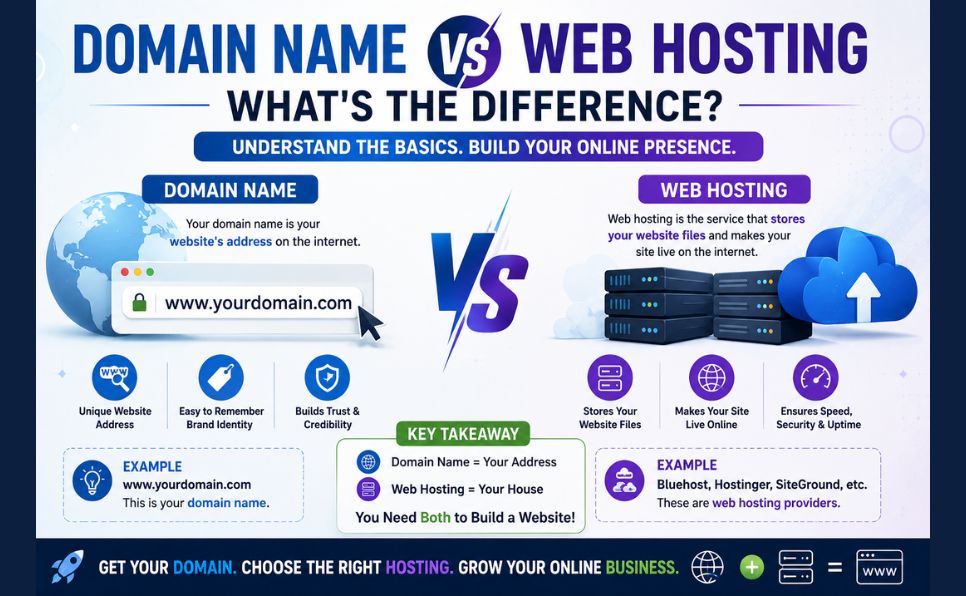
What’s the difference between a domain name and web hosting?
A domain name (like antarvacna.org) is your website’s address — what people type to find you. Web hosting is the actual storage space where your website files live. You need both: a domain to be found, and hosting to store your content. They’re often purchased together but are technically separate services.
Yes — shared hosting is perfectly adequate for new blogs, small business websites, and personal projects with moderate traffic (under 10,000 visitors/month). As your traffic grows, you can upgrade to VPS or cloud hosting.
How much should I expect to pay for web hosting?
Beginner shared hosting typically costs $2–$10/month (often discounted for the first term, with higher renewal rates). WordPress-optimized hosting ranges from $3–$25/month. VPS hosting starts around $10–$20/month for basic plans.
Can I switch hosting providers later?
Yes — most hosting providers offer free migration services or migration plugins (especially for WordPress) to help you move your website without losing data. However, migration can involve some downtime, so plan accordingly.
What happens if my hosting provider’s server goes down?
Your website becomes inaccessible until the server is restored. This is why uptime guarantees matter — reputable hosts maintain 99.9%+ uptime and have redundant systems to minimize outages. For mission-critical websites, cloud hosting offers better redundancy since traffic can shift between multiple servers.
Found this guide helpful? Share it with someone starting their first website. Have a question about web hosting? Drop it in the comments — we answer every one!