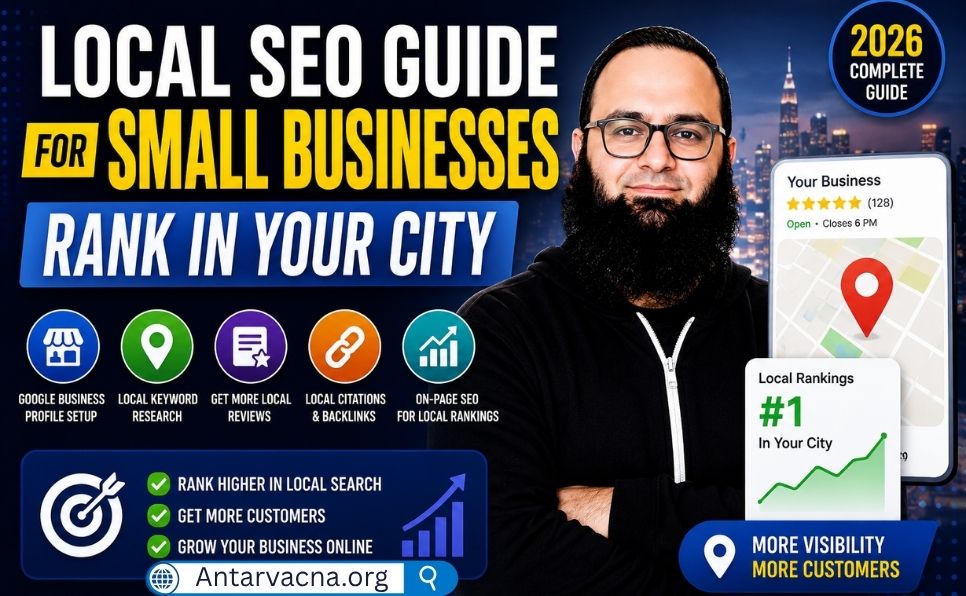
Local SEO for Small Businesses: Complete Step-by-Step Guide (2026)
When someone searches for “best coffee shop near me,” “emergency plumber in Chicago,” or “dentist near my location,” Google tries to show relevant businesses that can meet their needs.
But what determines which businesses appear in Google Maps and local search results?
The answer involves local search engine optimization (local SEO), a collection of practices that help businesses improve their visibility for geographically relevant searches.
For small businesses, local SEO can help attract potential customers, increase phone calls, generate website visits, and encourage in-person visits.
The best part? Many foundational local SEO activities can be completed without paying for advertising.
In this complete 2026 guide, you’ll learn how to optimize your Google Business Profile, research local keywords, manage business listings, earn genuine reviews, improve your website, build relevant backlinks, and measure your results.
1. What Is Local SEO?
Local SEO is the process of improving a business’s visibility in search results relevant to a particular geographic area.
For example, a plumbing company serving Chicago might want to appear when someone searches:
- Plumber near me
- Emergency plumbing Chicago
- Drain cleaning in Chicago
- Water heater repair near Lincoln Park
Local SEO helps search engines and potential customers understand what a business offers, where it operates, and how customers can contact it.
Local SEO vs. Traditional SEO
| Feature | Local SEO | Traditional SEO |
|---|---|---|
| Main audience | Customers in specific areas | Local, national, or international audiences |
| Search intent | Often location-specific | Can be location-independent |
| Google Business Profile | Important for eligible businesses | Not always relevant |
| Local citations | Useful | Usually less central |
| Website content | Services and local relevance | Broader topics and search intent |
| Main goal | Local customer acquisition | Relevant organic search visibility |
Both approaches share important foundations, including useful content, technical accessibility, internal linking, and trustworthy information.
Who Needs Local SEO?
Local SEO is particularly useful for:
- Restaurants and coffee shops
- Dentists and medical clinics
- Lawyers and accountants
- Electricians and plumbers
- Cleaning companies
- Salons and barbershops
- Local retailers
- Auto repair businesses
- Home improvement contractors
- Other businesses serving customers face-to-face
Businesses operating entirely online without in-person customer contact may not qualify for a Google Business Profile.
2. How Google Determines Local Search Rankings
Google explains that local results are primarily based on three factors: relevance, distance, and prominence.
Relevance
Relevance measures how closely a business matches what someone is searching for.
For example, a business categorized as a plumbing service may be relevant to searches for plumbing repairs.
Complete and accurate business information helps Google understand what the business offers.
Distance
Distance considers how far a business is from the location relevant to a search.
Google may use the searcher’s location or a location mentioned in the query.
Businesses cannot simply change their ranking distance by adding city names to their descriptions.
Prominence
Prominence relates to how well-known a business is.
Google considers signals such as information from websites, links, and reviews.
More reviews and positive ratings can help local visibility, but there is no publicly guaranteed number of reviews required to rank.
Can you pay Google for better local rankings?
No. Paying for Google Ads does not purchase better organic local rankings.
Advertising placements are separate from unpaid local results.
For Google’s explanation, read the official local ranking guide.
3. Step 1: Create and Optimize Your Google Business Profile
Google Business Profile (GBP), formerly Google My Business, is a free tool for eligible businesses.
It allows business owners to manage information appearing in Google Search and Maps.
How to create a Google Business Profile
- Visit Google Business Profile.
- Sign in with your Google account.
- Begin adding or claiming your business.
- Enter the genuine business name.
- Choose the most accurate primary category.
- Provide location or service-area information.
- Add available contact details.
- Follow Google’s verification instructions.
- Complete the remaining profile information.
Verification methods vary by business and may include video, phone, email, or other methods offered by Google.
You cannot always choose your preferred verification method.
Optimize your business name
Use your actual business name as represented in the real world.
For example:
Correct: John’s Plumbing Services
Incorrect: John’s Plumbing Services — Best Cheap Emergency Plumber Chicago
Adding unrelated marketing keywords to the business name can violate Google Business Profile guidelines.
Select accurate business categories
Choose the primary category that most accurately describes the business.
Add relevant secondary categories only when they reflect genuine additional business activities.
Do not select unrelated categories simply to target more keywords.
Write a useful business description
Describe:
- What your business offers
- Who you serve
- Your main services
- Your service area
- Relevant business experience
Keep the description accurate and within Google’s applicable character limit.
Avoid promotional exaggeration, keyword stuffing, and prohibited content.
Add business hours
Keep opening hours current, including holiday or temporary changes.
For appointment-based businesses, explain how customers can arrange visits.
Add photos and videos
Use genuine images that represent the business.
Useful examples include:
- Storefront or exterior
- Interior
- Products
- Completed work
- Staff, with permission
- Equipment
- Service demonstrations
There is no universal requirement to upload exactly 10 photos.
Prioritize relevance, clarity, and accuracy.
Add services and products
Where supported, add the services or products your business genuinely offers.
Use clear descriptions and accurate pricing information where applicable.
Publish useful updates
Google Business Profile updates can communicate events, announcements, offers, and relevant business news.
However, posting every week or month is not a guaranteed ranking requirement.
4. Step 2: Research Local SEO Keywords
Local keyword research helps identify what nearby customers search for.
Start with your services
Suppose you operate a cleaning company.
Potential seed keywords include:
- House cleaning
- Office cleaning
- Deep cleaning
- Move-out cleaning
- Carpet cleaning
Add geographic intent
Combine services with relevant cities, neighborhoods, or service areas.
Examples:
- House cleaning in Chicago
- Office cleaning near downtown Chicago
- Move-out cleaning in Evanston
- Apartment cleaning services near me
These are illustrative examples, not verified search-volume measurements.
Understand local search intent
| Keyword | Likely intent | Recommended page |
|---|---|---|
| House cleaning Chicago | Find a provider | Service page |
| House cleaning prices Chicago | Compare costs | Pricing or service guide |
| How often to deep clean a house | Learn | Informational article |
| Emergency cleaning near me | Find immediate service | Relevant service page |
Free local keyword research tools
You can begin with:
- Google Keyword Planner
- Google Trends
- Google Search Console
- Google autocomplete and related searches
When evaluating keywords, consider relevance, intent, search demand, and the quality of existing results.
Do not choose keywords based only on monthly search volume.
5. Step 3: Build and Maintain Local Citations
A local citation is an online reference to a business.
It may include its name, address, phone number, website, or other identifying details.
What is NAP?
NAP stands for:
N — Name
A — Address
P — Phone number
Accurate business information helps customers find and contact the right company.
Why consistency matters
Conflicting business details can create confusion.
For example, a directory showing an old phone number may send customers to the wrong contact.
However, minor address formatting differences such as “Street” and “St.” are not automatically harmful.
Focus on correcting meaningful errors.
Useful business directories
| Platform | Website |
|---|---|
| Google Business Profile | https://business.google.com/ |
| Bing Places | https://www.bingplaces.com/ |
| Apple Business Connect | https://businessconnect.apple.com/ |
| Yelp for Business | https://biz.yelp.com/ |
| Facebook Business | https://www.facebook.com/business/ |
Other options may include relevant chambers of commerce, professional associations, and industry-specific directories.
Citation best practices
- Claim important existing listings.
- Correct inaccurate contact information.
- Remove or resolve unnecessary duplicates.
- Select appropriate categories.
- Keep website URLs current.
- Review business information after major changes.
Avoid creating hundreds of low-quality directory listings solely for backlinks.
Citation management tools
Tools such as BrightLocal and Whitespark offer local SEO and citation-related services.
Their features and pricing may change.
6. Step 4: Earn Genuine Google Reviews
Customer reviews can influence how potential customers evaluate a business.
Google also confirms that review quantity and positive ratings can contribute to local prominence.
However, more reviews do not automatically guarantee a higher ranking.
How to request reviews correctly
Ask customers who have genuinely experienced your business to share their feedback.
You can use:
- Follow-up emails
- SMS messages
- Business cards
- Review links
- QR codes
- Post-service communications
Example review request
“Thank you for choosing our business. We value your feedback and would appreciate an honest review of your experience. You can share your thoughts here: [Google review link].”
Important Google review rules
Do not:
- Purchase reviews.
- Offer discounts or gifts in exchange for reviews.
- Request only five-star reviews.
- Ask only satisfied customers while discouraging others.
- Pressure customers to leave reviews.
- Create reviews through fake accounts.
Google requires reviews to reflect genuine experiences.
Responding to positive reviews
Thank customers naturally and acknowledge their experience.
Avoid inserting keywords unnaturally into every response.
Responding to negative reviews
Respond professionally, acknowledge concerns, and offer a practical resolution where possible.
Avoid publicly sharing private customer information.
How many reviews do you need?
There is no fixed minimum for Google Maps rankings.
Focus on genuine customer feedback and consistent service quality rather than chasing an arbitrary number.
7. Step 5: Optimize Your Website for Local SEO
A Google Business Profile is useful, but your website provides additional opportunities to explain your services.
Optimize page titles
Use clear titles that describe the business and its services.
Example:
Plumbing Services in Chicago | John’s Plumbing
Avoid unnecessary superlatives such as “Best” unless supported by meaningful evidence.
Create useful service pages
If your business offers different services, create pages that help customers understand them.
For example:
- Drain cleaning
- Water heater repair
- Emergency plumbing
- Pipe replacement
Each page should provide distinct, useful information.
Create location pages when justified
A business serving several cities may benefit from location-specific content.
However, avoid generating dozens of nearly identical pages that only change the city name.
Useful location pages may include:
- Actual services available in the area
- Relevant business contact information
- Local project examples
- Service limitations
- Genuine customer information
- Specific operational details
Location pages should serve users, not exist solely to manipulate search rankings.
Add accurate contact information
Display your business name, phone number, and relevant address or service-area details.
Service-area businesses that do not receive customers at their premises should follow Google’s address-display requirements.
Make contact easy
Provide accessible contact options such as:
- Clickable phone number
- Contact form
- Appointment link
- Directions where appropriate
- Clear service-area information
Improve mobile usability
Ensure your website works well on mobile devices.
Review:
- Text readability
- Navigation
- Tap targets
- Forms
- Images
- Loading performance
For further guidance, read the Technical SEO Checklist.
8. Step 6: Add Appropriate LocalBusiness Schema
Structured data can describe genuine business information in a machine-readable format.
Google supports LocalBusiness structured data for eligible business information.
Depending on the business and page, useful properties may include:
- Business name
- Physical address
- Telephone
- Website URL
- Opening hours
- Geographic coordinates
- Business subtype
WordPress implementation with AIOSEO
For websites using All in One SEO:
- Review the schema already generated by the plugin.
- Check the available Local SEO features for your installed license.
- Enter accurate business details where supported.
- Avoid duplicate or conflicting schema markup.
- Test the output using Google’s Rich Results Test.
Do not automatically add LocalBusiness markup to an informational blog that is not describing an actual eligible local business.
Does LocalBusiness schema improve rankings?
It can help describe business information and support eligible Google Search features.
It does not guarantee higher rankings, Maps visibility, or indexing.
For implementation details, read the Schema Markup Complete Guide.
You can also consult Google’s official LocalBusiness documentation.
9. Step 7: Create Helpful Local Content
Local content can help businesses answer questions relevant to their service areas.
The goal should be usefulness rather than publishing articles containing city names.
Local content ideas
| Business | Useful content idea |
|---|---|
| Plumbing company | How to prevent frozen pipes in Chicago winters |
| Dental clinic | What to expect at your first dental appointment |
| Cleaning service | Apartment move-out cleaning checklist |
| Landscaping company | Seasonal lawn care for local weather conditions |
| Restaurant | Menu updates and genuine community events |
| Auto repair shop | Preparing your vehicle for winter driving |
Include real experience
Useful local content may contain:
- Original photos
- Actual project examples
- Relevant local conditions
- Expert explanations
- Practical instructions
- Verifiable information
Avoid inventing customer testimonials, projects, or case-study results.
10. Step 8: Build Relevant Local Backlinks
Backlinks are links from other websites to your business website.
Relevant links can help users discover your business and may contribute to its online prominence.
Local backlink opportunities
Local business associations: Relevant membership directories may link to members.
Community organizations: Genuine participation can lead to useful mentions.
Local news websites: Newsworthy business activities or expert commentary may attract coverage.
Business partnerships: Suppliers or partners may reference relevant businesses.
Industry publications: Useful educational contributions may earn editorial links.
Avoid manipulative link building
Do not purchase links intended to manipulate Google rankings or participate in excessive link exchanges.
Paid placements and sponsorships should use appropriate link attributes when required.
For additional guidance, read What Is a Backlink and How to Build Them.
11. Step 9: Monitor Local SEO Performance
Local SEO should be measured using business outcomes and search visibility rather than rankings alone.
Google Business Profile performance
Depending on available features, you may review:
- Profile interactions
- Calls
- Website clicks
- Direction requests
- Other supported engagement metrics
Google Search Console
Use Search Console to analyze:
- Search queries
- Clicks
- Impressions
- Average CTR
- Average position
- Landing pages
Search Console does not provide a complete fixed Google Maps ranking tracker.
Read the Google Search Console Complete Guide for practical instructions.
Google Analytics
Google Analytics can help analyze website visits and conversions.
Configure meaningful events such as contact-form submissions or appointment requests where appropriate.
Example local SEO reporting dashboard
| Metric | Purpose |
|---|---|
| Organic search clicks | Monitor website search traffic |
| GBP interactions | Understand profile engagement |
| Phone inquiries | Measure customer interest |
| Contact form submissions | Track potential leads |
| Direction requests | Monitor location-related interest |
| Genuine customer reviews | Track reputation trends |
Compare performance over meaningful periods and consider seasonality.
12. Common Local SEO Mistakes
1. Keyword stuffing in the business name
Using marketing keywords instead of the real business name can violate Google guidelines.
2. Inaccurate contact information
Outdated addresses, disconnected numbers, and incorrect hours can frustrate customers.
3. Fake or incentivized reviews
Manipulated reviews violate Google policies.
4. Duplicate location pages
Publishing substantially identical city pages without unique value can create poor user experiences and potential doorway-page issues.
5. Ignoring mobile visitors
Poor mobile usability can make it difficult for customers to contact the business.
6. Creating low-quality citations
Large numbers of irrelevant directory submissions are not a substitute for accurate, reputable business information.
7. Ignoring website content
A business profile cannot replace clear, useful service descriptions and accessible contact information.
8. Assuming rankings are guaranteed
No SEO provider can guarantee a particular unpaid Google Maps ranking.
9. Using misleading business addresses
Businesses should follow Google’s eligibility and address rules, including requirements for service-area businesses and restrictions on virtual offices.
10. Failing to measure conversions
Traffic and impressions are useful, but customer inquiries and completed bookings are often more meaningful business outcomes.
13. Local SEO Action Plan for the First 30 Days
The following schedule is an implementation plan, not a guaranteed ranking timeline.
Week 1: Business information
- Claim or create an eligible Google Business Profile.
- Complete verification where possible.
- Review business categories.
- Correct contact information.
- Update business hours.
Week 2: Website optimization
- Review homepage title and headings.
- Improve service descriptions.
- Check mobile usability.
- Review contact information.
- Verify important internal links.
Week 3: Reputation and citations
- Audit important business listings.
- Correct meaningful NAP inconsistencies.
- Create an honest review request process.
- Respond professionally to customer feedback.
Week 4: Content and measurement
- Publish one genuinely useful local resource.
- Identify relevant local partnerships.
- Review Google Business Profile performance.
- Configure relevant conversion tracking.
- Record baseline search metrics.
Continue improving based on observed results.
14. Complete Local SEO Checklist
Google Business Profile
-
Eligible business profile claimed or created
-
Verification completed where available
-
Genuine business name used
-
Accurate primary category selected
-
Relevant additional categories reviewed
-
Business description completed
-
Contact information accurate
-
Hours updated
-
Genuine photos uploaded
-
Services or products reviewed
Citations and reviews
-
Important directory listings checked
-
Outdated contact details corrected
-
Duplicate listings investigated
-
Review request process created
-
No incentivized or fake reviews used
-
Customer feedback monitored
Website optimization
-
Relevant service pages available
-
Clear titles and headings used
-
Mobile usability reviewed
-
Contact information accessible
-
Internal links functional
-
Appropriate structured data validated
-
Unnecessary duplicate pages avoided
Monitoring
-
Google Search Console configured
-
Business Profile performance reviewed
-
Customer inquiries measured
-
Conversion tracking considered
-
Important SEO changes documented
15. Frequently Asked Questions
What is local SEO for small businesses?
Local SEO helps businesses improve visibility for geographically relevant searches, including local organic results and Google Maps.
Is Google Business Profile free?
Yes. Eligible businesses can create and manage a Google Business Profile without paying Google for the listing.
How long does local SEO take to work?
There is no guaranteed timeline. Results depend on competition, business information, website quality, existing visibility, and other factors. Evaluate trends over time rather than expecting a fixed result within a few weeks.
Can I do local SEO without a website?
Eligible businesses can manage a Google Business Profile without having their own website. However, a website provides additional opportunities to explain services and attract organic search visitors.
How many Google reviews do I need?
Google does not publish a fixed review-count requirement for ranking in local results. Focus on genuine, unbiased customer feedback.
Do local citations still matter?
Accurate business listings can help customers find and identify a business. Their importance varies by platform, industry, and context.
Does adding a Google Map improve rankings?
An embedded map can help visitors find a physical location, but embedding one does not guarantee higher local rankings.
Should I create a page for every city?
Only create separate location pages when they provide genuine, distinct value. Avoid mass-producing nearly identical pages.
Is LocalBusiness schema required?
No. It is not mandatory for indexing or Google Maps visibility, but appropriate markup can help describe genuine business information.
What is the difference between Google Maps SEO and website SEO?
Google Maps visibility is closely connected to business profiles and local ranking systems. Website SEO focuses on making webpages useful, accessible, and relevant to search queries. The two approaches can complement each other.
Can a service-area business appear on Google Maps?
Eligible service-area businesses can use Google Business Profile if they satisfy Google’s requirements for in-person customer contact and other eligibility rules.
Can paid advertisements improve organic local rankings?
No. Paid advertisements are separate from unpaid local rankings.
Conclusion
Local SEO gives small businesses an opportunity to connect with customers searching for nearby products and services.
The most effective strategy starts with accurate business information, an eligible Google Business Profile, a useful website, genuine customer feedback, and relevant local content.
Rather than chasing arbitrary review counts, directory submissions, or ranking promises, focus on building a trustworthy and accessible online presence.
Use Google Search Console, Business Profile performance reports, and website analytics to understand what is working.
Start with one practical action today: Review your business information and make sure customers can easily understand what you offer, where you operate, and how to contact you.
Additional Resources
- Google Business Profile
- Google Local Ranking Guidelines
- Google Business Profile Review Policies
- Google LocalBusiness Structured Data
- Schema Markup Complete Guide
- Technical SEO Checklist
- Google Search Console Complete Guide
- Backlink Building Guide
Have questions about improving local search visibility? Share them in the comments below.